


WEEX P2P update: Country/region restrictions for ad posting
To improve ad security and matching accuracy, WEEX P2P now allows advertisers to restrict who can trade with their ads based on country or region. Advertisers can select preferred counterparty locations for a safer, smoother trading experience.
I. Overview
When publishing P2P ads, advertisers can now set the following:
Allow only counterparties from selected countries or regions to trade with your ads.
With this feature, you can:
- Target specific user groups more precisely.
- Reduce cross-region trading risks.
- Improve order matching quality.
II. Applicable scenarios
The following are some common scenarios:
- Restrict payment methods: Limit orders to users in your country using supported local banks or wallets.
- Risk control: Avoid trading with users from high-risk regions.
- Operational strategy: Tailor ads to specific markets.
III. How to get started
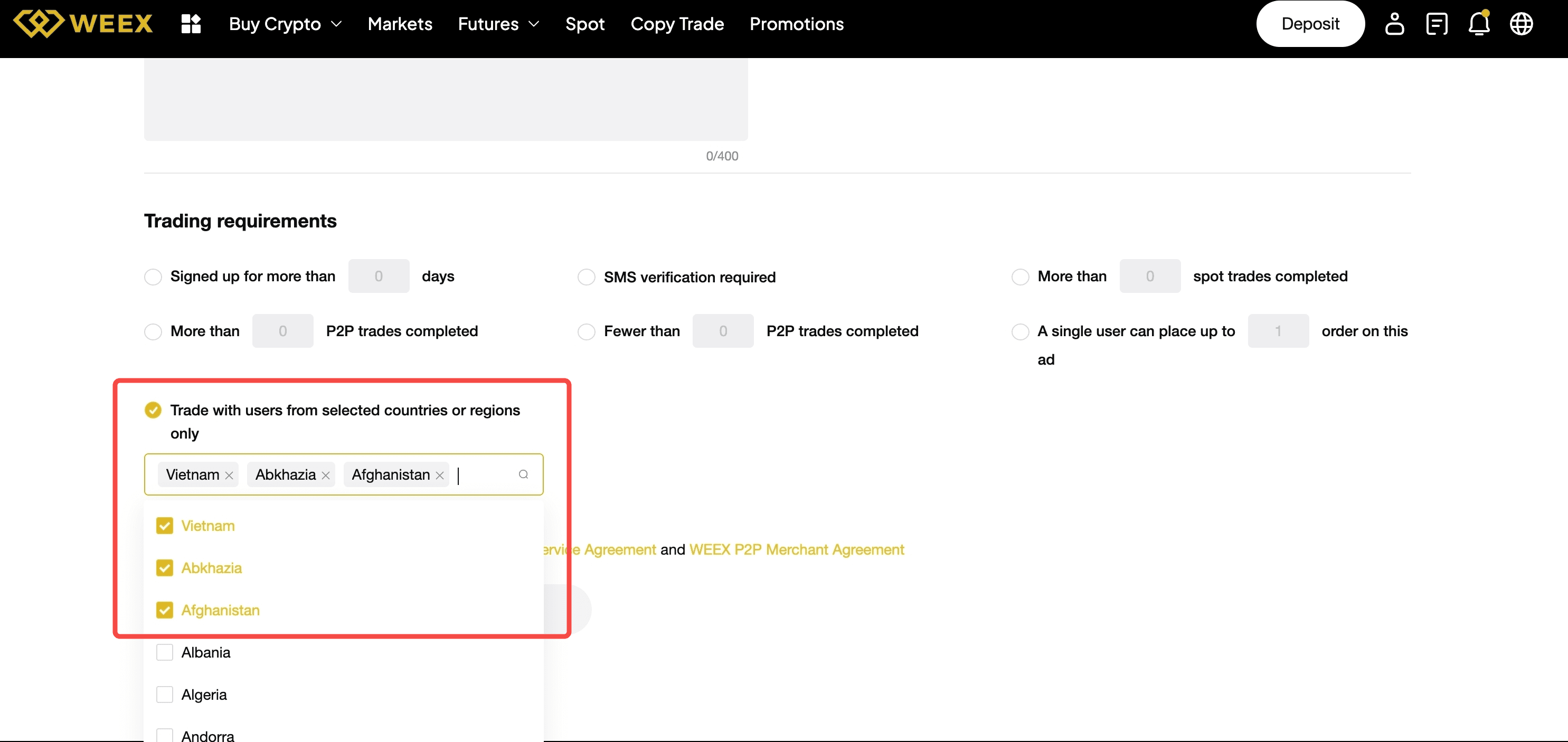
On the ad posting page, find "Trading requirements":
- Select "Trade with users from selected countries or regions only".
- Then select the countries or regions to add to the allowlist.
- Use the search box to quickly find a country or region.
- Once your settings are complete, submit the ad to apply the restrictions.
When an advertiser enables the "Country/Region Restriction" feature, users who do not meet the criteria will be blocked when placing an order and will see the following prompt:
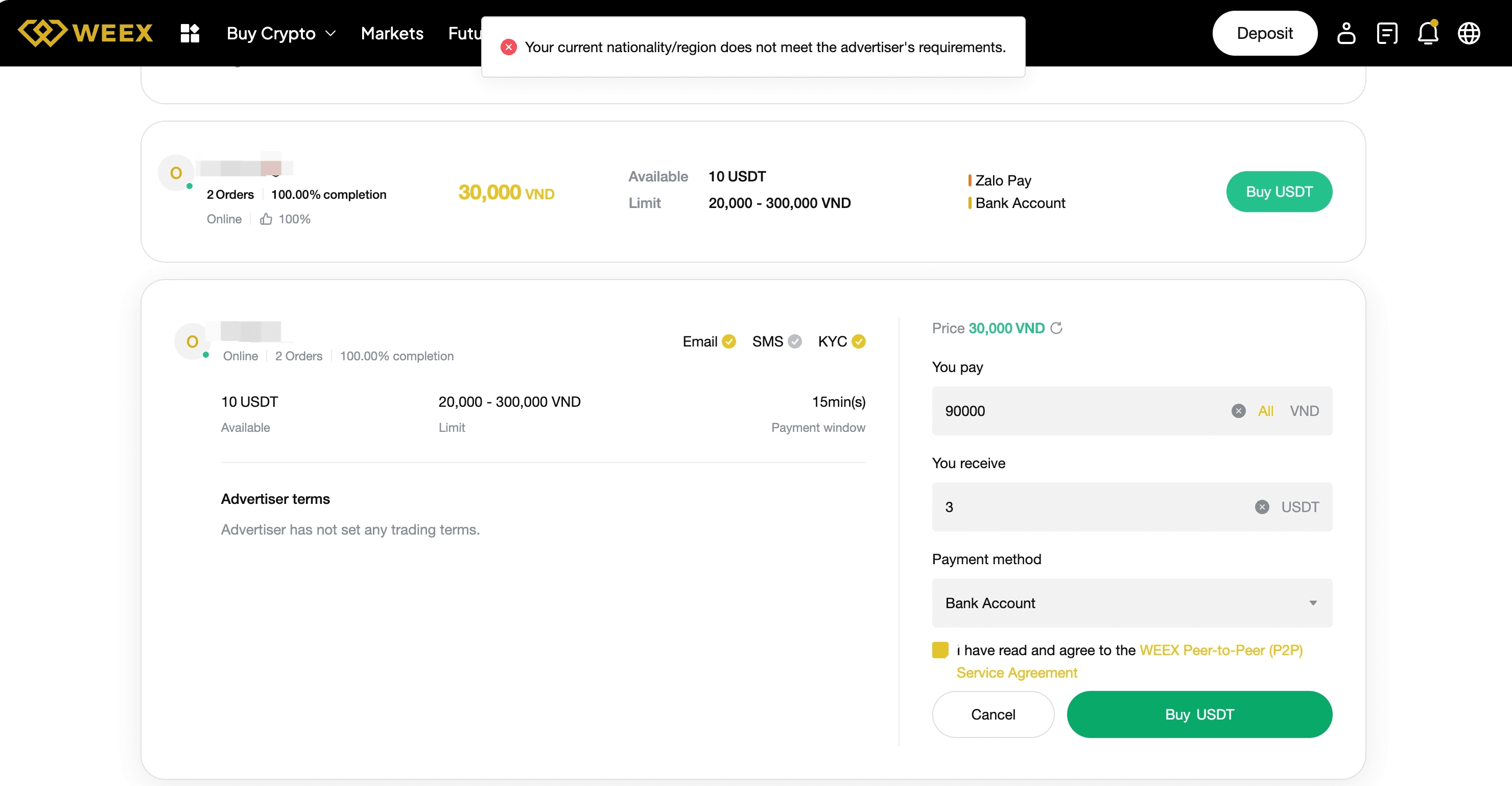
If you encounter this issue when placing an order as a regular user, try the following solutions.
- Choose another ad: Select ads that do not restrict your country/region, or ads that allow users from your location.
- Show local ads only: Prioritize ads available in the same country as your identity verification.
IV. Benefits
Compared with ads without country/region restrictions, this feature provides the following improvements.
| Aspect | Improvement |
| Trading security | Reduces abnormal orders and fraud risk |
| Conversion efficiency | Matches ads with more relevant users |
| Order completion rate | Reduces failures caused by incompatible payment methods |
V. FAQ
Q1: Why are some users not able to place orders on my ad?
A1: Their country or region may not be included in your allowlist.
Q2: Can I select multiple countries or regions when setting the restriction?
A2: Yes, multiple selections are supported.
Q3: Can I edit my published ads?
A3: Yes. You can edit your ad in the "My Ads" list. Changes will take effect immediately after saving.

Gainers


