
- Buy Crypto
- Markets
- Futures
- Spot
- Copy Trade
 WE-Launch
Historical B/S Indicators for Candlestick Charts
By: WEEX|2025/10/21 16:00:00
WEEX just got smarter! Review past trades and refine your strategies with our brand-new feature: Historical B/S (Buy/Sell) markers for candlestick charts! Now, you can view your past trades right on the chart, helping you make sharper decisions and trade more efficiently.
Highlights
- Trade records at a glance
- Your Buy (B) and Sell (S) points are automatically marked on the chart.
- Each marker shows your precise trade time and price, helping you review past orders at a glance.
- Comprehensive coverage
- Spot trading: Full support for marking trades across all spot pairs.
- Futures trading: Clearly shows open and close points, distinguishing between long and short positions.
- Rich interactions
- Tap any marker (B or S) to view detailed trade information, such as:
- Trade time: Review exact trade times and corresponding market conditions.
- Execution price: Displays the average filled price of historical trades.
- Trade count: Quickly check the number of trades in a certain period.
- Markers update dynamically as you zoom and drag the candlestick. Seamlessly review up to 100 executed trades from the last 90 days.
- Universal access
- Available on both iOS and Android: Access your trade history anytime, on any mobile device.
- Full currency coverage: Supports all pairs in your portfolio, across both spot and futures markets.
How to Use?
- Open the WEEX app and go to any pair's chart page.
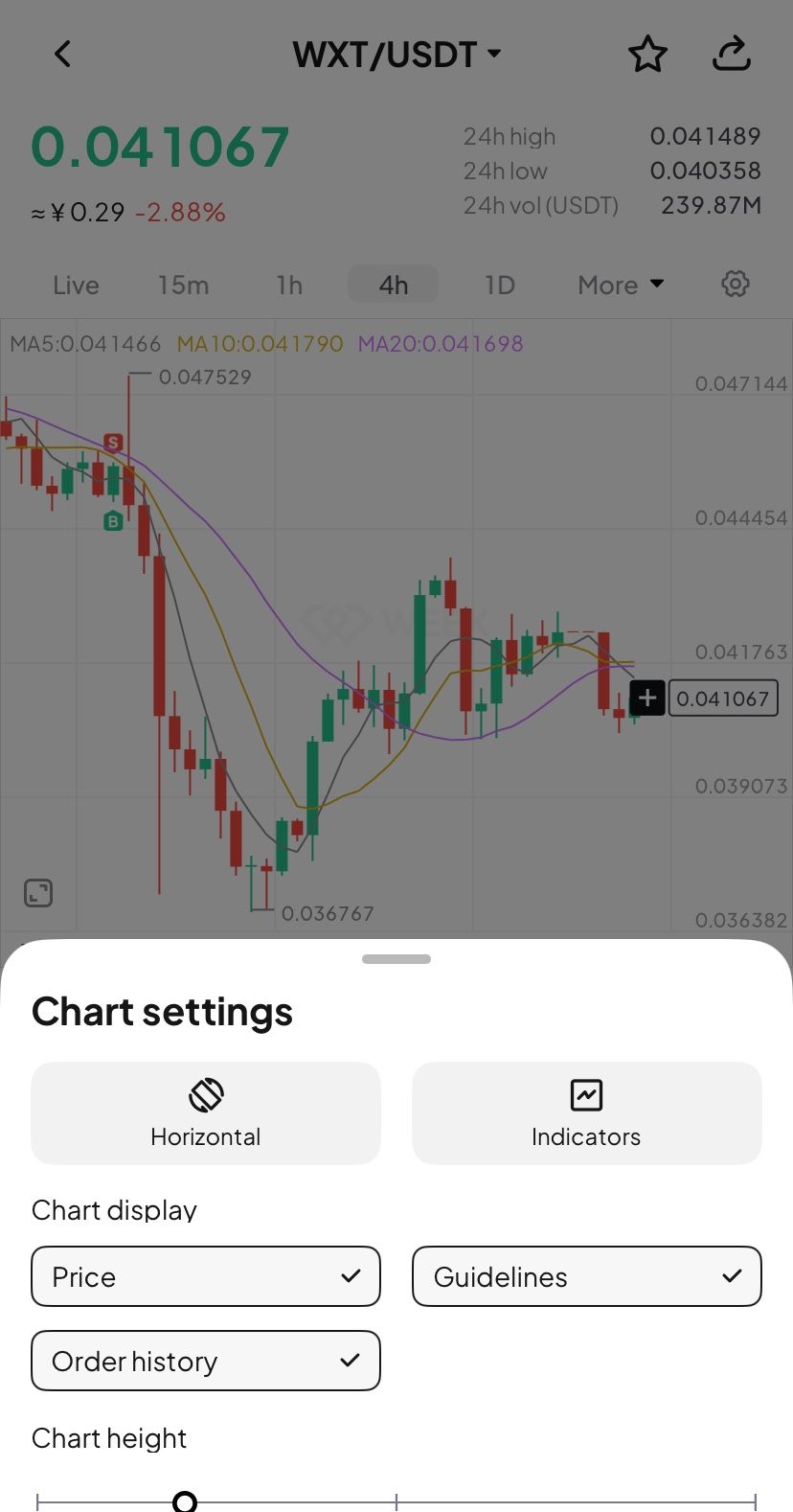
- Tap the candlestick chart and enable the "Order history" feature in the chart settings (enabled by default.)
- If trades exist for that pair, B and S markers will instantly show up on the chart.
- Tap any marker to check the full details of that transaction.
Where to use it
- Review strategies: Quickly review your buy and sell points combined with market trends to refine your strategy.
- Analyze PnL: Easily pinpoint profitable or losing trades to learn from your past performance.
Understand trends: Combine your trade history with the candlestick chart data for deeper market and behavioral analysis.
Feature preview
- On/off toggle: Use the "Settings" icon to switch the "Order History" feature on or off (enabled by default).
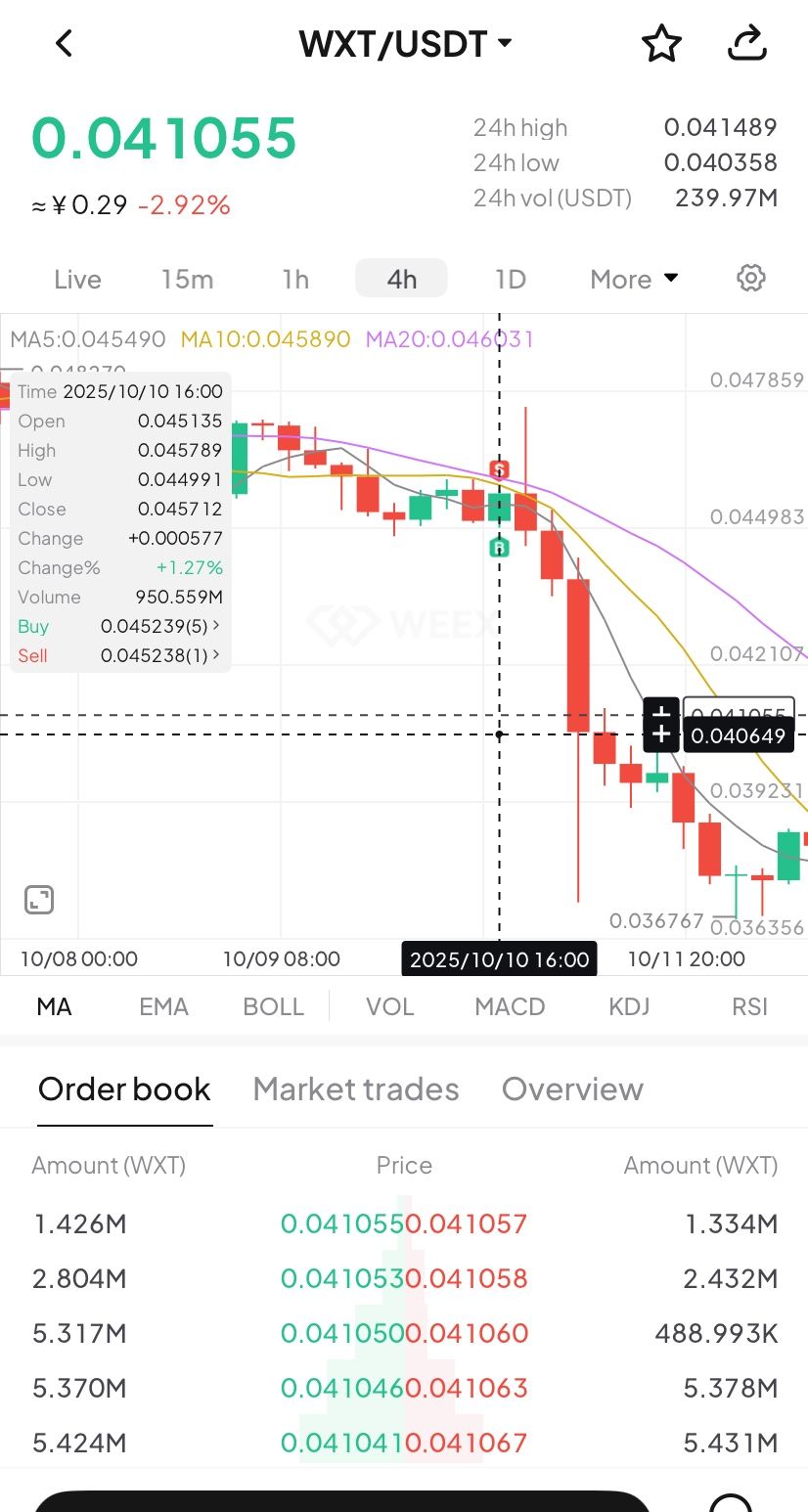
- B (Buy) marker: Green marker showing your exact buy action.
- S (Sell) marker: Red marker identifying every sell transaction.
- Details pop-up: Tapping the marker brings up a card with key data (time, price, and count).
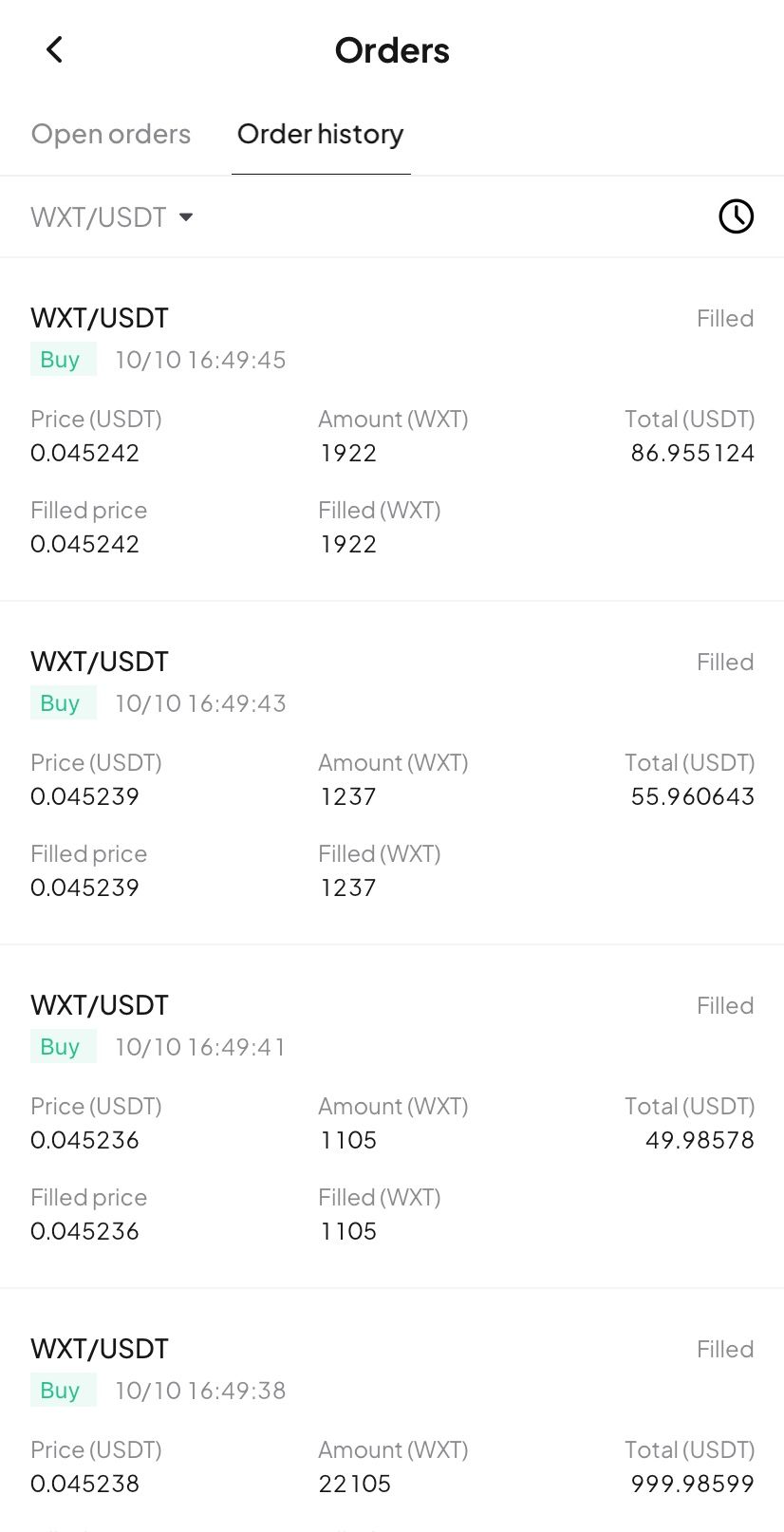
- Full breakdown: Tap the details card to open the "Order History" page and view your trading record.
Try now
Update your WEEX app to the latest version to experience our new Buy/Sell markers! Gain clarity and transparency in your trades, empowering smarter investment decision!
An entity withdrew 2.1 million SOL from Coinbase, approximately $400 million
Moonshot has been listed on SoraSwap
You may also like
Share
Gainers
Latest Crypto News
06:15
Lawyer's Interpretation of the "1128" Regulation Policy: Focus on Regulating Activities Using Stablecoins for Illegal Foreign Exchange交
06:15
ShieldWall: In November, there were approximately 15 major crypto hacking incidents, with a total loss exceeding $190 million.
06:15
Arthur Hayes on Today's Plunge: Bank of Japan Hints at Rate Hike
05:45
Grvt GLP Strategy Reopened, Fund Cap Increased to $7.5 Million
05:45
An whale has deposited an additional 1.5 million USDC to avoid the liquidation of a 10x leveraged position in ZEC. The unrealized loss on the position has now reached 4.28 million USD.
Read more
Community


Customer Support:@weikecs
Business Cooperation:@weikecs
Quant Trading & MM:[email protected]
VIP Services:[email protected]
 App
App