
- Mua crypto
- Thị trường
- Futures
- Spot
- Sao chép giao dịch
 WE-Launch
Historical B/S Indicators for Candlestick Charts
By: WEEX|2025/10/21 16:00:00
WEEX just got smarter! Review past trades and refine your strategies with our brand-new feature: Historical B/S (Buy/Sell) markers for candlestick charts! Now, you can view your past trades right on the chart, helping you make sharper decisions and trade more efficiently.
Highlights
- Trade records at a glance
- Your Buy (B) and Sell (S) points are automatically marked on the chart.
- Each marker shows your precise trade time and price, helping you review past orders at a glance.
- Comprehensive coverage
- Spot trading: Full support for marking trades across all spot pairs.
- Futures trading: Clearly shows open and close points, distinguishing between long and short positions.
- Rich interactions
- Tap any marker (B or S) to view detailed trade information, such as:
- Trade time: Review exact trade times and corresponding market conditions.
- Execution price: Displays the average filled price of historical trades.
- Trade count: Quickly check the number of trades in a certain period.
- Markers update dynamically as you zoom and drag the candlestick. Seamlessly review up to 100 executed trades from the last 90 days.
- Universal access
- Available on both iOS and Android: Access your trade history anytime, on any mobile device.
- Full currency coverage: Supports all pairs in your portfolio, across both spot and futures markets.
How to Use?
- Open the WEEX app and go to any pair's chart page.
- Tap the candlestick chart and enable the "Order history" feature in the chart settings (enabled by default.)
- If trades exist for that pair, B and S markers will instantly show up on the chart.
- Tap any marker to check the full details of that transaction.
Where to use it
- Review strategies: Quickly review your buy and sell points combined with market trends to refine your strategy.
- Analyze PnL: Easily pinpoint profitable or losing trades to learn from your past performance.
Understand trends: Combine your trade history with the candlestick chart data for deeper market and behavioral analysis.
Feature preview
- On/off toggle: Use the "Settings" icon to switch the "Order History" feature on or off (enabled by default).
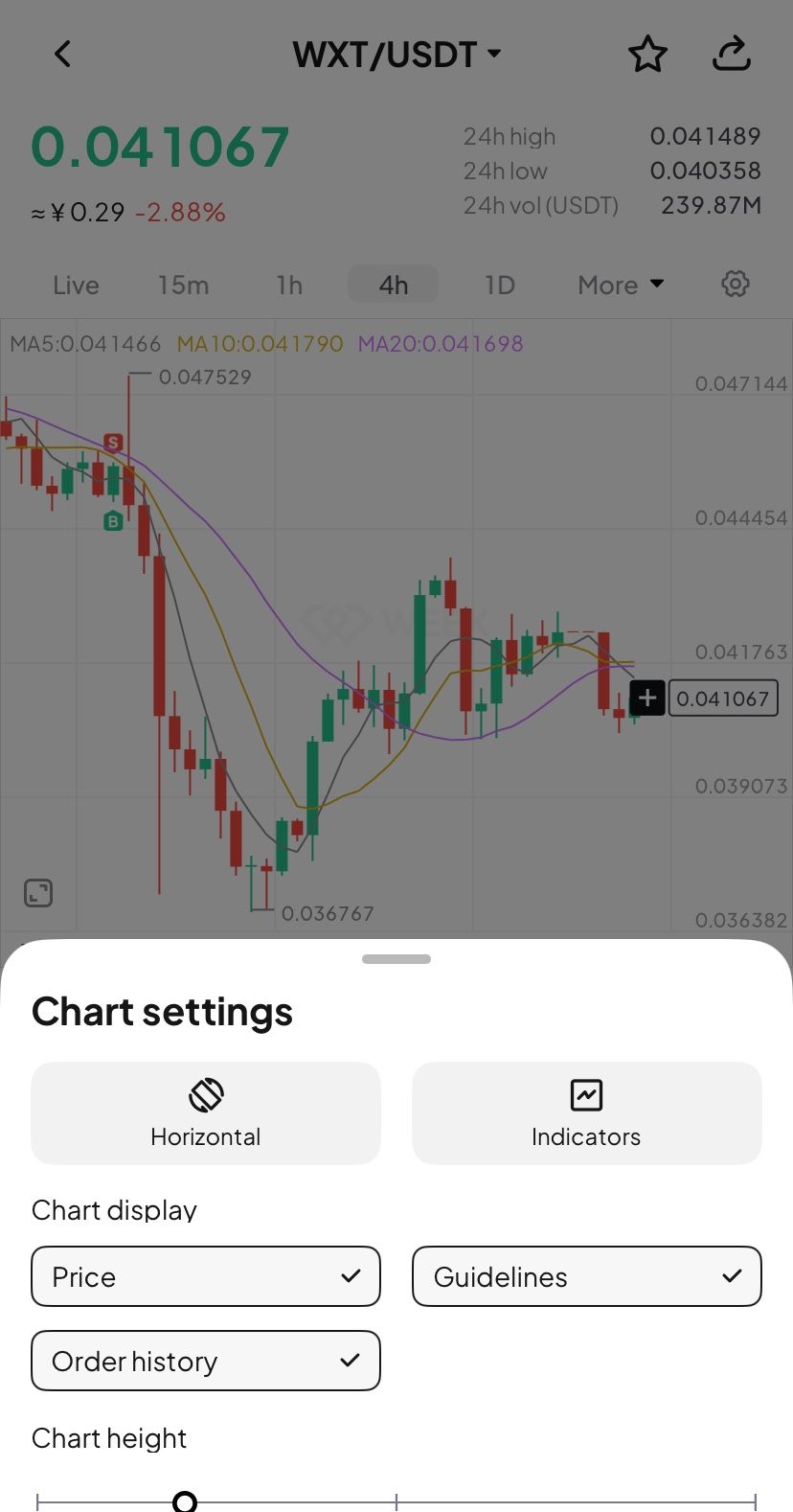
- B (Buy) marker: Green marker showing your exact buy action.
- S (Sell) marker: Red marker identifying every sell transaction.
- Details pop-up: Tapping the marker brings up a card with key data (time, price, and count).
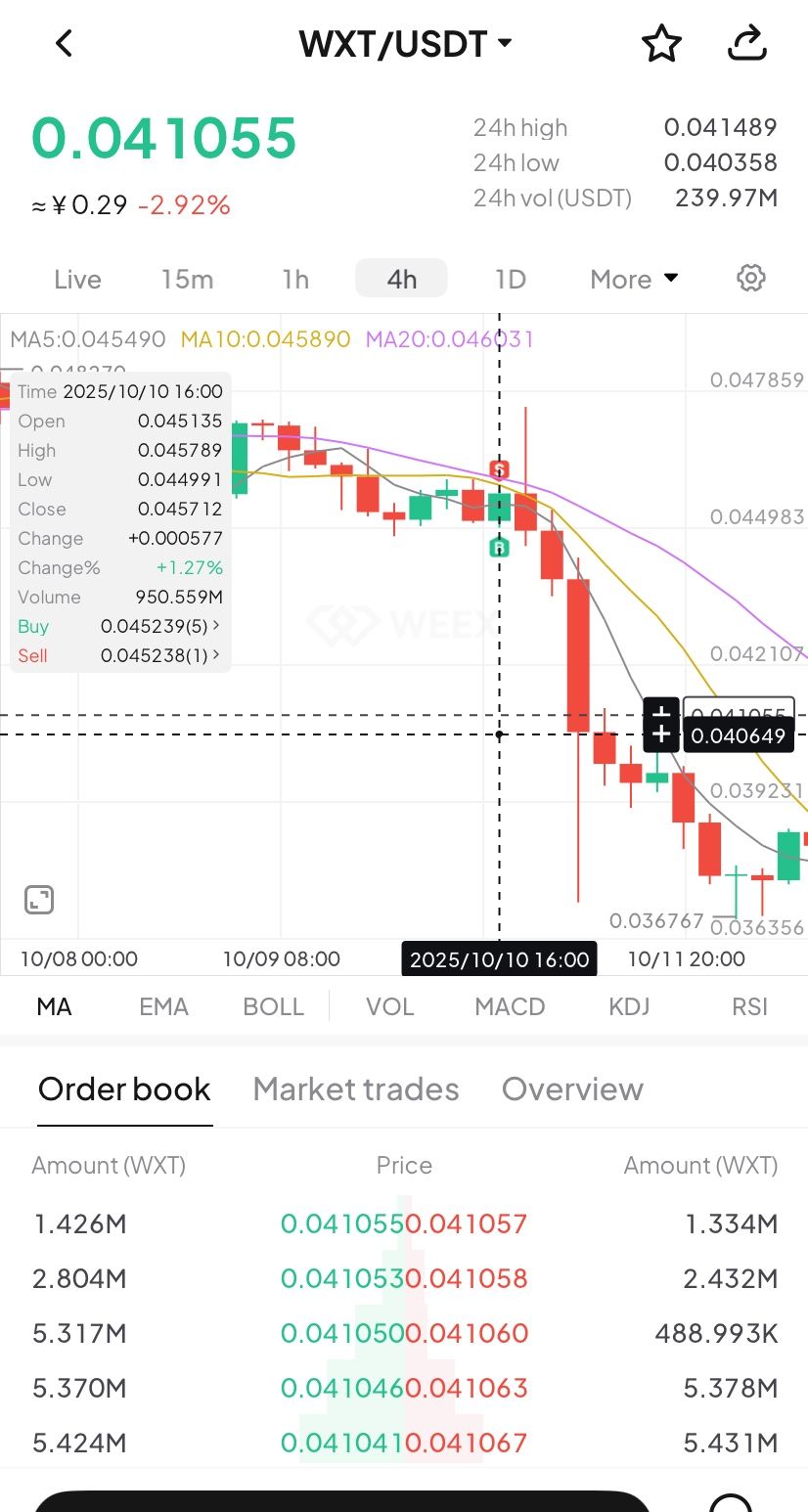
- Full breakdown: Tap the details card to open the "Order History" page and view your trading record.
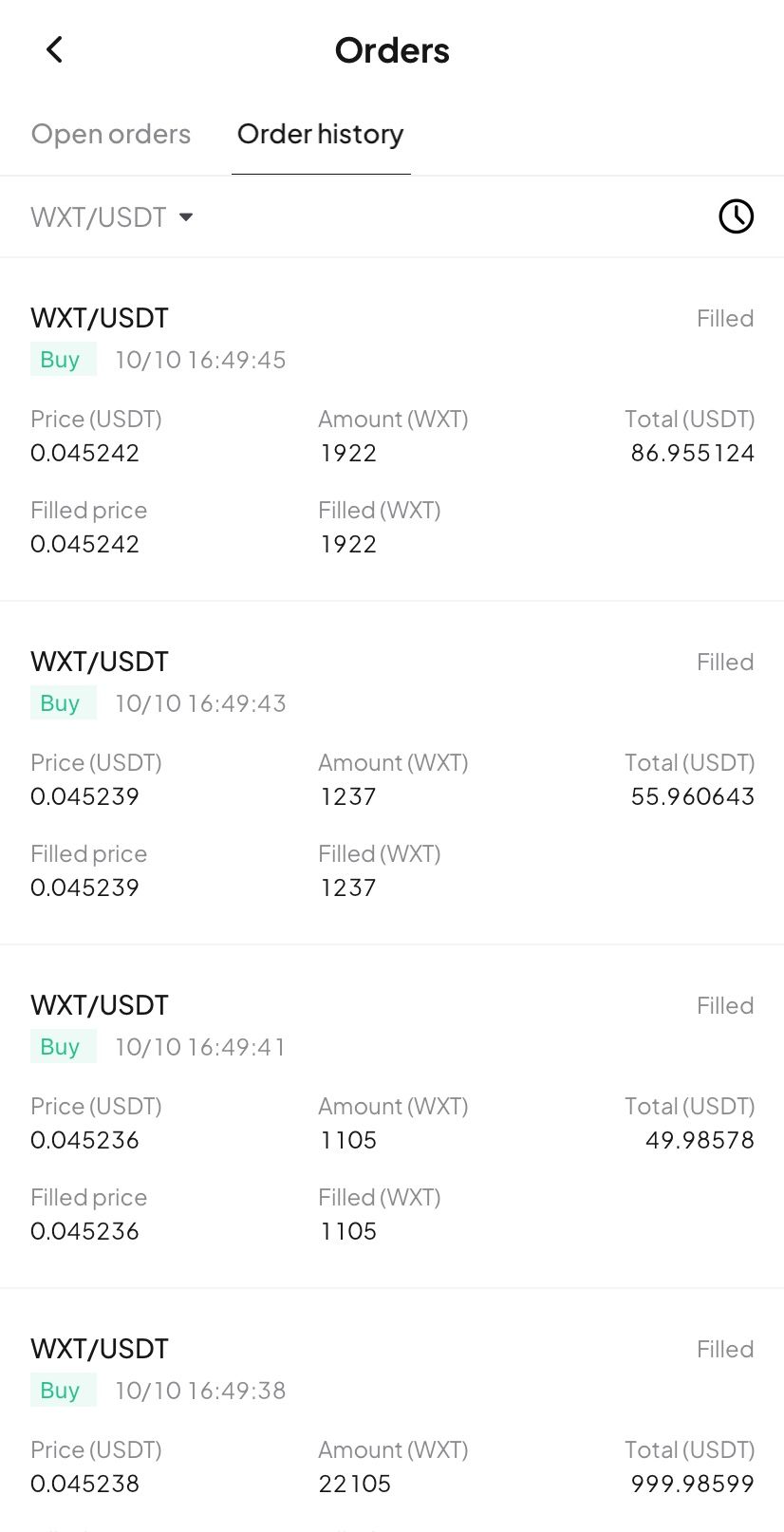
Try now
Update your WEEX app to the latest version to experience our new Buy/Sell markers! Gain clarity and transparency in your trades, empowering smarter investment decision!
Vị thế bán khống Bitcoin của "1011 Insider Whale" đã mất 2,7 triệu đô la
Limitless công bố nền kinh tế mã thông báo LMTS, với airdrop và ưu đãi chiếm 24,37%
Bạn cũng có thể thích
Chia sẻ
Tăng
Tin tức crypto mới nhất
09:45
Một con cá voi nào đó đã tích lũy được 2,33 triệu token LINK trong sáu tháng qua và hiện đang phải chịu khoản lỗ trên giấy tờ là 10,5 triệu đô la.
09:45
CoinShares: Dòng tiền ròng 1,07 tỷ đô la vào các sản phẩm đầu tư tài sản kỹ thuật số tuần trước.
09:45
Abraxas Capital đã đầu tư một nửa số tiền của mình vào giao dịch giao ngay HYPE, nâng tổng số tiền nắm giữ lên 56 triệu đô la.
09:16
Societe Generale: Cục Dự trữ Liên bang sẽ tiếp tục cắt giảm lãi suất vào năm tới và lợi suất trái phiếu kho bạc Hoa Kỳ vẫn còn khả năng giảm.
09:16
Chính phủ Vương quốc Bhutan đã chuyển 175,44 ETH, tương đương khoảng 497.000 đô la Mỹ.
Đọc thêm
Cộng đồng


Chăm sóc khách hàng:@weikecs
Hợp tác kinh doanh:@weikecs
Giao dịch Định lượng & MM:[email protected]
Dịch vụ VIP:[email protected]
 App
App