
Cómo activar la autenticación de dos factores (2FA) en WEEX Exchange: Una guía paso a paso

Para mejorar la seguridad de su cuenta, active la autenticación de dos factores (2FA) en . WEEX es esencial. Este nivel adicional de protección garantiza que sólo usted pueda acceder a su cuenta, lo que proporciona una seguridad adicional durante las transacciones y retiradas.
Por qué es importante la 2FA en WEEX
2FA añade un segundo nivel de seguridad al requerir un código generado en tu dispositivo móvil (a través de una aplicación de autenticación como Google Authenticator o Authy) además de tu contraseña. Impide el acceso no autorizado, incluso si tu contraseña se ve comprometida.
Guía paso a paso para configurar 2FA en WEEX
Paso 1: Acceda a su cuenta WEEX
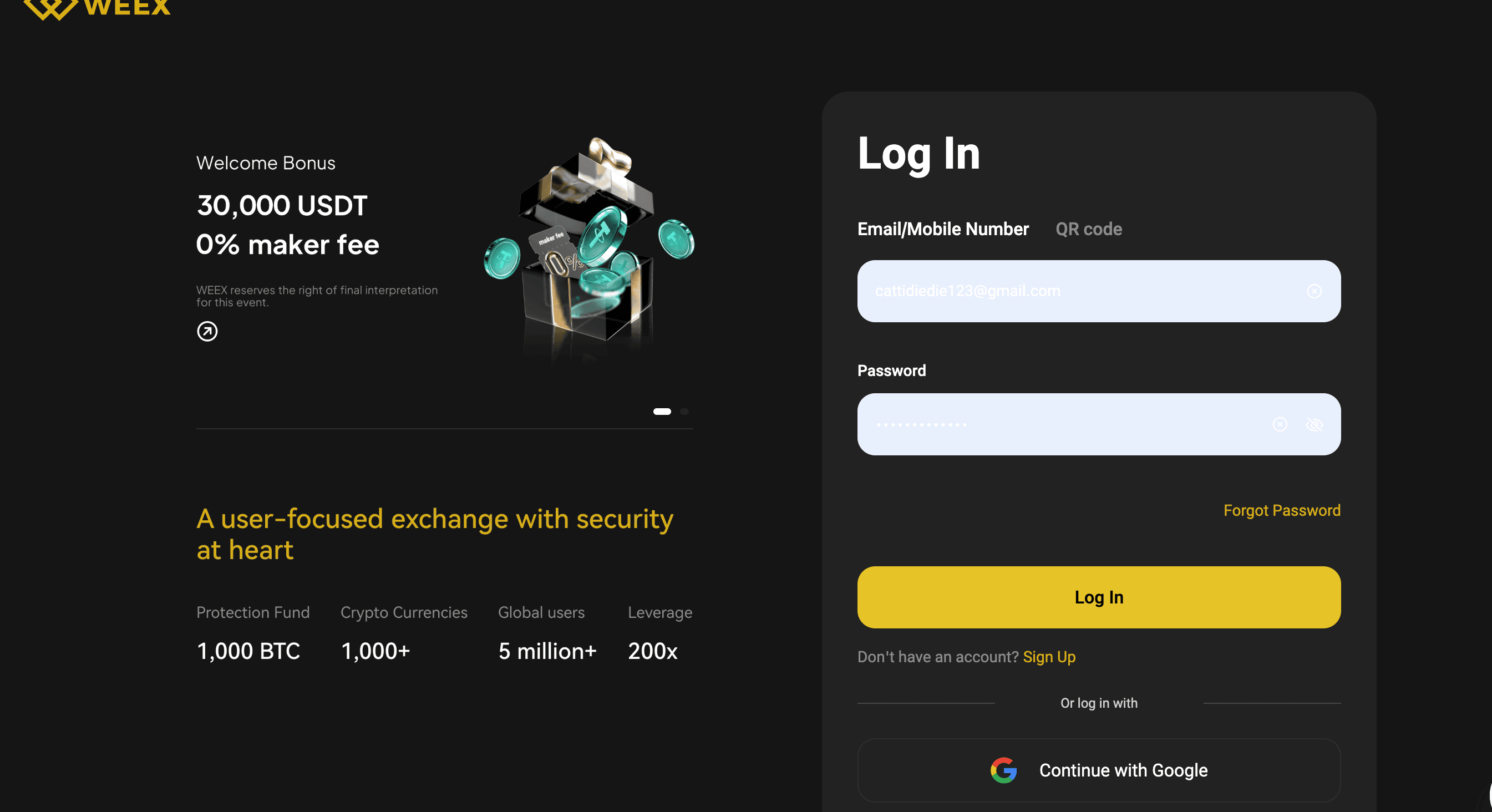
Visite el sitio web oficial sitio web de WEEX Exchange e inicie sesión en su cuenta utilizando sus credenciales. Asegúrese de estar en el sitio web oficial para evitar estafas de phishing.
Paso 2: Acceder a la configuración de la cuenta
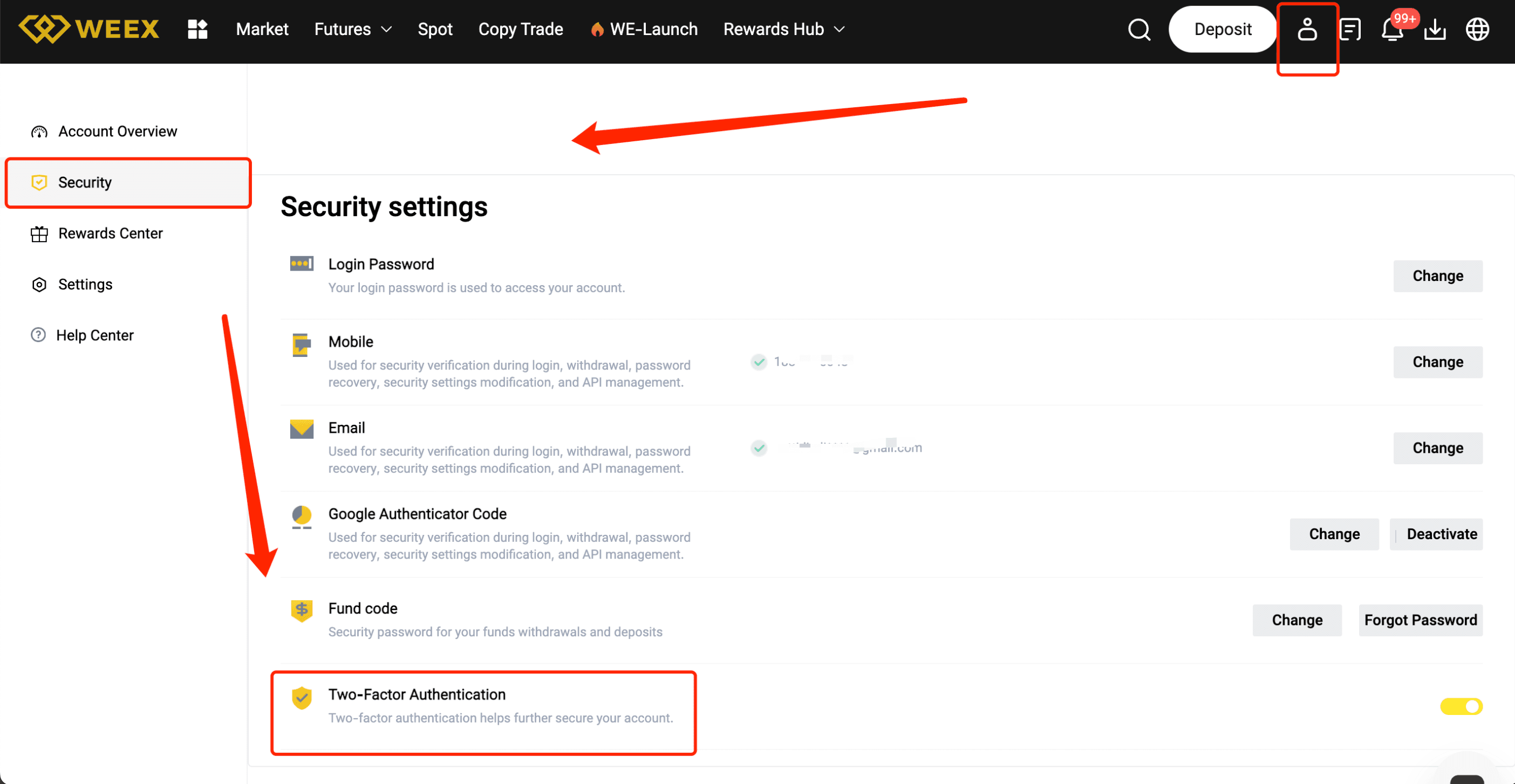
Una vez iniciada la sesión, accede a la configuración de tu perfil haciendo clic en tu avatar o nombre de usuario en la esquina superior derecha. Seleccione "Ajustes de seguridad" o "Ajustes 2FA" en el menú desplegable.
Paso 3: Elija su método 2FA
Se le presentarán varias opciones para activar 2FA. El método más común es utilizar una aplicación de autenticación. Elija "Activar 2FA mediante aplicación" (por ejemplo, Google Authenticator o Authy).
Paso 4: Escanee el código QR
Abra la aplicación de autenticación elegida y seleccione "Añadir cuenta" o "Escanear código QR". Utilice la aplicación para escanear el código QR que aparece en el sitio web de WEEX. Esto vinculará tu cuenta a la aplicación.
Paso 5: Introduzca el código de verificación
Una vez escaneado el código QR, la aplicación de autenticación generará un código de 6 dígitos. Introduzca este código en el sitio web de WEEX para verificar y completar la configuración.
Paso 6: Códigos de Respaldo
Después de completar la configuración 2FA, WEEX proporcionará códigos de respaldo. Anota estos códigos y guárdalos en un lugar seguro, ya que pueden utilizarse para acceder a tu cuenta si pierdes el acceso a tu aplicación de autenticación.
Paso 7: Confirmar y finalizar
Compruebe dos veces los detalles y haga clic en "Confirmar" o "Activar". Tu 2FA estará ahora activado, añadiendo una capa extra de seguridad a tu cuenta.
Consejos profesionales para una configuración 2FA sin problemas
- Utiliza una aplicación de autenticación fiable como Google Authenticator o Authy.
- Guarde sus códigos de copia de seguridad de forma segura en caso de que pierda el acceso a su dispositivo.
- Asegúrate de que tu dispositivo móvil es seguro utilizando un PIN o una contraseña segura.
- No compartas tus códigos 2FA con nadie: es para tu protección.
Ventajas de completar 2FA en WEEX
- Seguridad mejorada: Protege tu cuenta de accesos no autorizados con una capa de verificación adicional.
- Mayor confianza: Aumente la confianza en su cuenta y sus actividades demostrando que ha tomado medidas para proteger sus fondos.
- Operaciones más seguras: Con 2FA activado, tus operaciones y retiradas están protegidas de acciones no autorizadas.
Conclusión
Activar 2FA en WEEX es una manera simple pero poderosa de asegurar su cuenta y proteger sus fondos. Siguiendo esta guía, te aseguras de que tu cuenta está protegida con una capa adicional de seguridad. No espere más: active 2FA hoy mismo para estar tranquilo mientras negocia.
Te puede gustar
¿Qué es Caspius (CAS) Coin?
Recientemente, el token Caspius (CAS) abrió sus puertas al mercado al ser listado en WEEX. Ahora, los usuarios…
Predicción de Precio de Make A Wish (WISH) para Mayo 2026: ¿Rebotará Tras un Aumento del 15% y Alcanzará los 0,0006 Dólares?
A fecha de 1 de mayo de 2026, el precio actual de Make A Wish (WISH) es de…
Predicción de Precio de BitMine Immersion Technologies Tokenized Stock (Ondo) (BMNRON): ¿Subirá un 5% en Mayo 2026 Tras su Aumento del 1.69% y Precio Actual de 21.70 USD?
BitMine Immersion Technologies Tokenized Stock (Ondo) (BMNRON) ha mostrado un leve repunte en las últimas 24 horas, con…

Predicción de Precio de Brent Crude (BRENT) Coin: ¿Mantendrá su Alza del 40% en Abril 2026?
Brent Crude ha experimentado un notable repunte en las últimas horas, con un aumento del 40,42% que ha…
DOGE Airdrop: Comparte 30,000 USDT y Oportunidades en el Mercado Crypto
El airdrop de DOGE en WEEX está captando la atención de los entusiastas del crypto esta semana, con…
¿Qué es Make A Wish (WISH) Coin?
La criptomoneda Make A Wish (WISH) ha capturado recientemente la atención de la comunidad cripto al ser listada…
MEGA Airdrop: Cómo Participar y Compartir 30,000 USDT en Recompensas
El airdrop de MEGA ha captado la atención de la comunidad cripto en las últimas semanas, con un…
Predicción de Precio de Make A Wish (WISH) para Mayo 2026: ¿Alcanzará un Rebote del 30% desde los $0.0045 Actuales?
El token Make A Wish (WISH), inspirado en causas benéficas, ha captado atención recientemente gracias a una donación…
¿Es QCOMon Coin una buena inversión en 2026? Análisis del Qualcomm Tokenized Stock (Ondo)
En el dinámico mundo de las criptomonedas, el Qualcomm Tokenized Stock (Ondo), conocido como QCOMon Coin, ha captado…
PROS Airdrop: Cómo Participar y Compartir 30,000 USDT en WEEX
El airdrop de PROS está generando revuelo en el mundo cripto, especialmente con la promoción de WEEX que…
PROS Airdrop: Participa y Comparte 30,000 USDT en la Plataforma WEEX
El airdrop de PROS ha captado la atención de la comunidad cripto en las últimas semanas, especialmente con…

¿Qué es Gensyn (AI) Coin?
El Gensyn (AI) Coin es una adición emocionante al mundo de las criptomonedas, y recientemente ha sido listado…
¿Qué es Arm Holdings plc Tokenized Stock (Ondo) (ARMON) Coin?
El Arm Holdings plc Tokenized Stock (Ondo) abarca una innovadora propuesta en el mercado de criptomonedas, brindando a…

Predicción de Precio de Arm Holdings plc Tokenized Stock (Ondo) (ARMON): ¿Mantendrá el Impulso Tras Subida del 14.78% y Alcanzará $250 en Abril 2026?
Arm Holdings plc Tokenized Stock (Ondo) (ARMON), la versión tokenizada de las acciones de Arm Holdings plc a…
Predicción de Precio de Gensyn (AI) para Abril 2026: ¿Rebotará hasta los 0,20 USD tras una Subida del 15%?
Según datos de CoinMarketCap al 29 de abril de 2026, el precio actual de Gensyn (AI) es de…
¿Qué es chudhouse (CHUDHOUSE) Coin?
Recientemente, el token chudhouse (CHUDHOUSE) ha sido listado en WEEX Exchange, permitiendo a los usuarios participar en el…
¿Qué es Pharos (PROS) Coin?
El token Pharos (abreviado PROS) ha sido recientemente listado en WEEX, abriendo sus puertas para el comercio digital…
Predicción de Precio de chudhouse (CHUDHOUSE) para Abril 2026: ¿Podrá Mantener su Aumento del 142% y Alcanzar los $0.01?
El token chudhouse (CHUDHOUSE) ha captado atención recientemente con un volumen de trading que alcanzó los $2,123,938.92 en…
¿Qué es Caspius (CAS) Coin?
Recientemente, el token Caspius (CAS) abrió sus puertas al mercado al ser listado en WEEX. Ahora, los usuarios…
Predicción de Precio de Make A Wish (WISH) para Mayo 2026: ¿Rebotará Tras un Aumento del 15% y Alcanzará los 0,0006 Dólares?
A fecha de 1 de mayo de 2026, el precio actual de Make A Wish (WISH) es de…
Predicción de Precio de BitMine Immersion Technologies Tokenized Stock (Ondo) (BMNRON): ¿Subirá un 5% en Mayo 2026 Tras su Aumento del 1.69% y Precio Actual de 21.70 USD?
BitMine Immersion Technologies Tokenized Stock (Ondo) (BMNRON) ha mostrado un leve repunte en las últimas 24 horas, con…
Predicción de Precio de Brent Crude (BRENT) Coin: ¿Mantendrá su Alza del 40% en Abril 2026?
Brent Crude ha experimentado un notable repunte en las últimas horas, con un aumento del 40,42% que ha…
DOGE Airdrop: Comparte 30,000 USDT y Oportunidades en el Mercado Crypto
El airdrop de DOGE en WEEX está captando la atención de los entusiastas del crypto esta semana, con…
¿Qué es Make A Wish (WISH) Coin?
La criptomoneda Make A Wish (WISH) ha capturado recientemente la atención de la comunidad cripto al ser listada…