


How to create a WEEX account: registration guide
Creating a WEEX account starts with a simple registration process using your email address or phone number. If you are new to WEEX, you can access the registration page from the WEEX homepage and verify your email or phone number to create your account.
This WEEX registration guide explains how to create a WEEX account, what information you need to sign up, and how many WEEX accounts one person can register.
How to Create a WEEX Account
To create a WEEX account, visit the WEEX homepage and select “Log In/Sign Up.” On the login page, select “Sign up ” to begin the WEEX registration process.

You can register using either your email address or phone number. Enter the requested information and complete the verification process using the verification code sent to your email address or phone number.
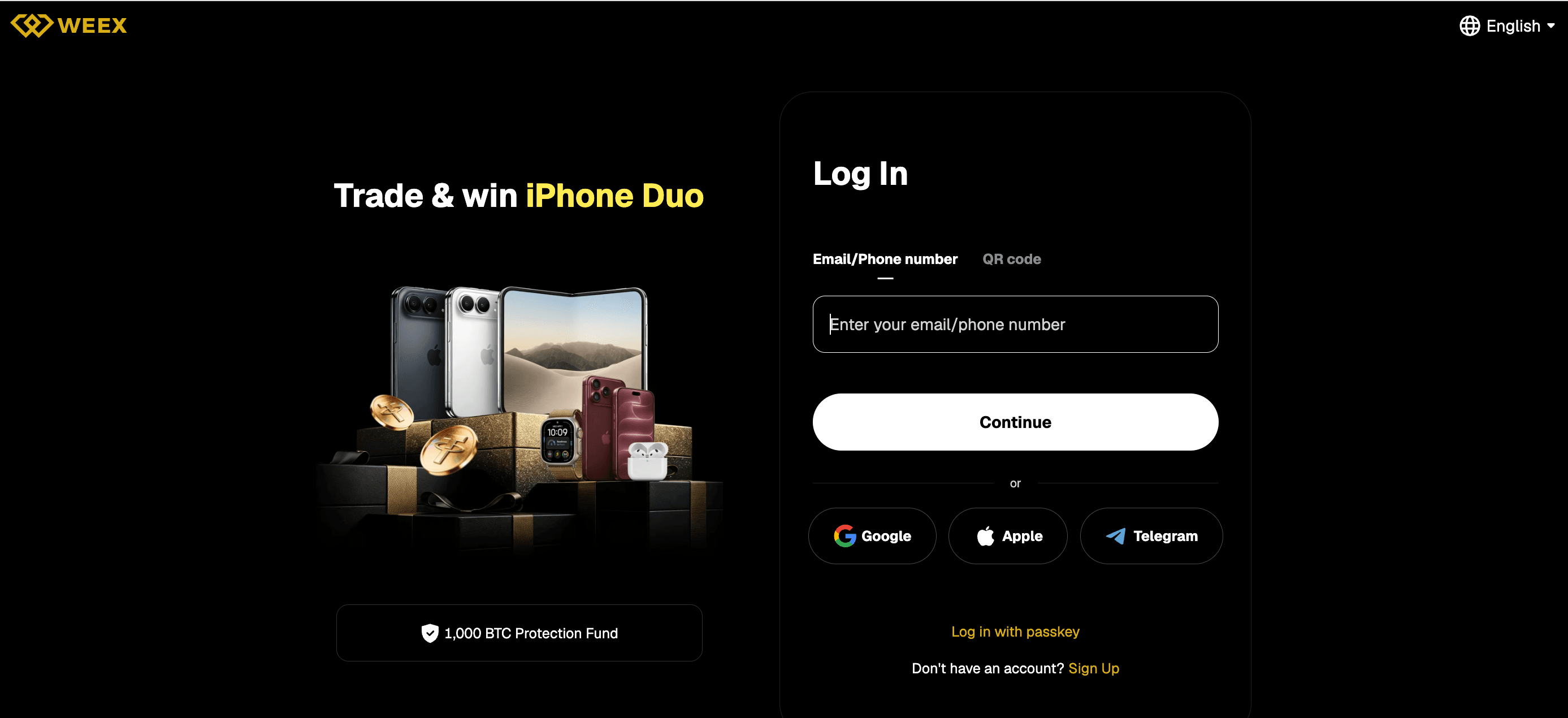
Once the verification code has been entered successfully, you can create your WEEX account.
The basic WEEX registration process can therefore be summarized as:
WEEX Homepage → Log In/Sign Up → Email or Phone Number → Verification Code → Create Account
What Do You Need to Create a WEEX Account?
Before starting your WEEX registration, make sure you have access to a valid email address or phone number. WEEX uses this contact information to send the verification code required during account creation.
You can choose either email or phone number when signing up. Use contact information that you can access normally so you can receive and enter the verification code during registration.
WEEX also allows only one account per user. Each valid ID number can only be used to register one WEEX account, so you should not share your identification information with others for account registration.
If you already have a WEEX account, you should therefore use your existing account rather than attempting to register another account with the same identification information.
Do You Need a Verification Code to Register on WEEX?
Yes. A verification code is part of the WEEX account registration process described in the official Help Center.
Whether you choose to register using an email address or phone number, you need to provide the requested contact information and enter the verification code to create your account.
The verification code is therefore an important step between entering your email address or phone number and successfully creating the account.
The official registration instructions do not require users to begin from a separate verification page. Start from “Log In/Sign Up” and follow the registration instructions displayed by WEEX.
What Can You Do After Creating a WEEX Account?
Once you create a WEEX account, you can access a range of trading products and markets available on the platform.
WEEX supports spot and futures trading across a wide range of cryptocurrencies. Through its TradFi offering, users can also access markets linked to traditional financial assets, including stocks, ETFs, gold, and other commodities, all from one WEEX account.
WEEX has served more than 10 million users across over 170 countries and regions. The platform also maintains a 1,000 BTC Protection Fund, which can be verified on-chain and is designed to provide an additional layer of protection for users.
After creating your account, you can explore the products currently available on WEEX and choose the markets that fit your trading needs.
Conclusion
Creating a WEEX account starts from the “Log In/Sign Up” option on the WEEX homepage, register with your email address or phone number, and enter the verification code to create your account.
WEEX allows one account per user, and each valid ID number can only be used to register one account. Keep your identification information private and do not share it with others to create additional accounts.
FAQ
1. How do I create a WEEX account?
Go to the WEEX homepage and select “Log In/Sign Up”. Provide your email address or phone number and enter the verification code to create your account.
2. Can I register for WEEX with an email address?
Yes. WEEX allows you to sign up using an email address. You will need to enter the verification code as part of the registration process.
3. Can I register for WEEX with a phone number?
Yes. You can use a phone number instead of an email address when creating your WEEX account. Enter your phone number and complete the verification-code step to create the account.
4. How many WEEX accounts can I have?
WEEX allows only one account per user. According to the official Help Center, each valid ID number can be used to register one account only.
5. Do I need a verification code to create a WEEX account?
Yes. The official WEEX registration instructions require users to provide an email address or phone number and enter a verification code to create an account.

Gainers


