
Popular topics

Popular topics

How do I complete the KYC verification process? (Sumsub system on H5)
By: WEEX
|
0
Dear WEEXer,
To keep your account secure and ensure access to WEEX services, you'll need to complete identity verification through Sumsub. This guide walks you through the identity verification process on the WEEX mobile website. Follow the steps below to complete your verification.
Step 1: Visit the WEEX website and select Log in to access your account.
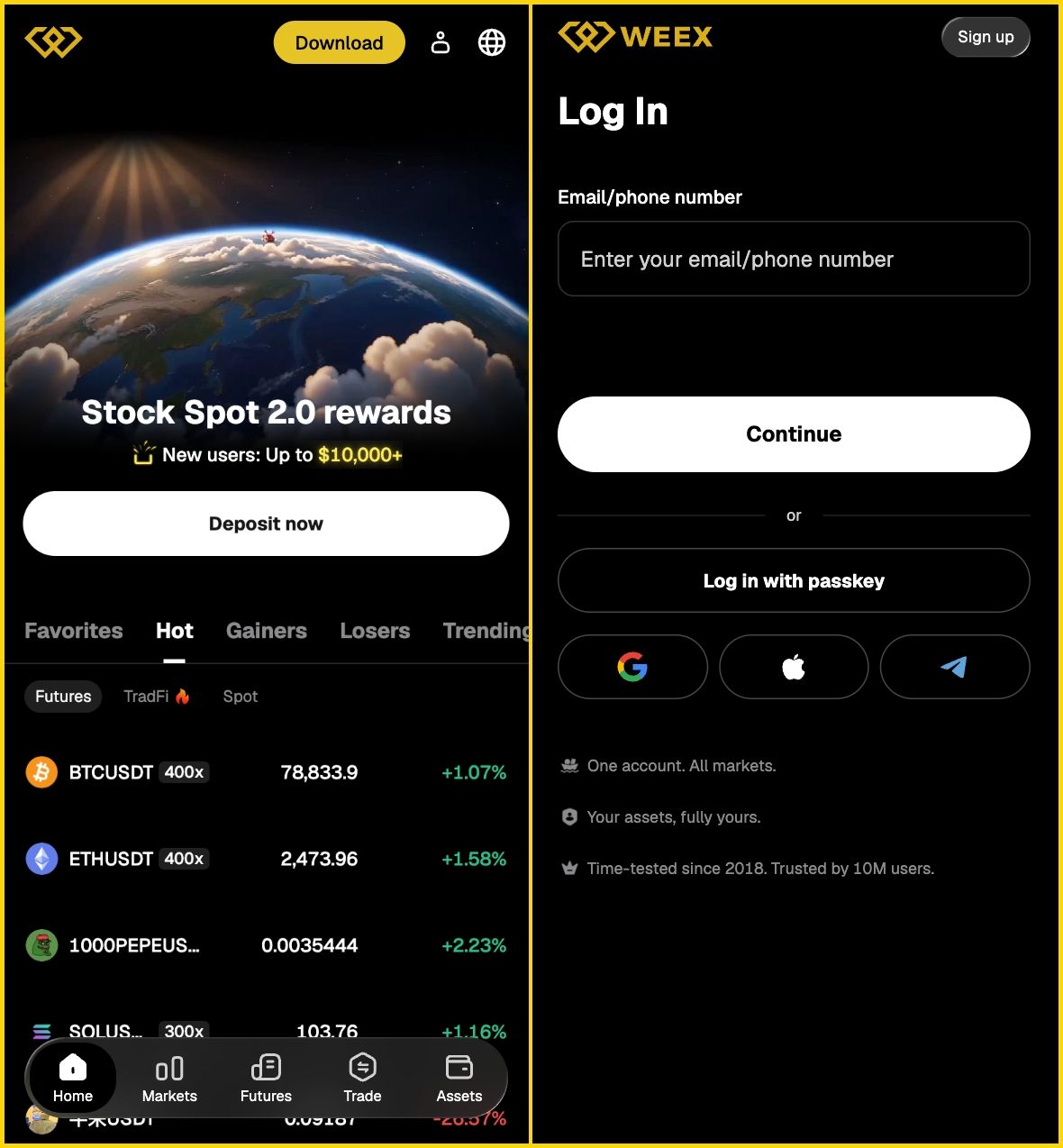
Step 2: Once logged in, select Identity Verification.

Step 3: On the Identity Verification page, use the Verify Now button.
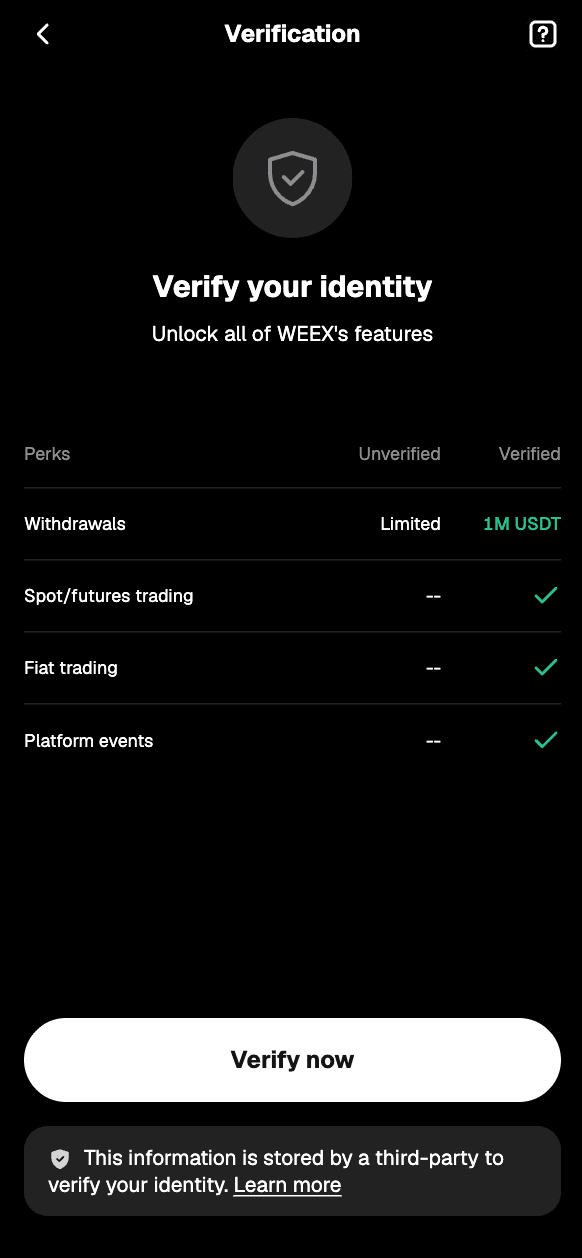
Step 4: Select the country/region that issued your ID, then select Continue.

Step 5: Go to the Sumsub verification page and follow the on-screen instructions.
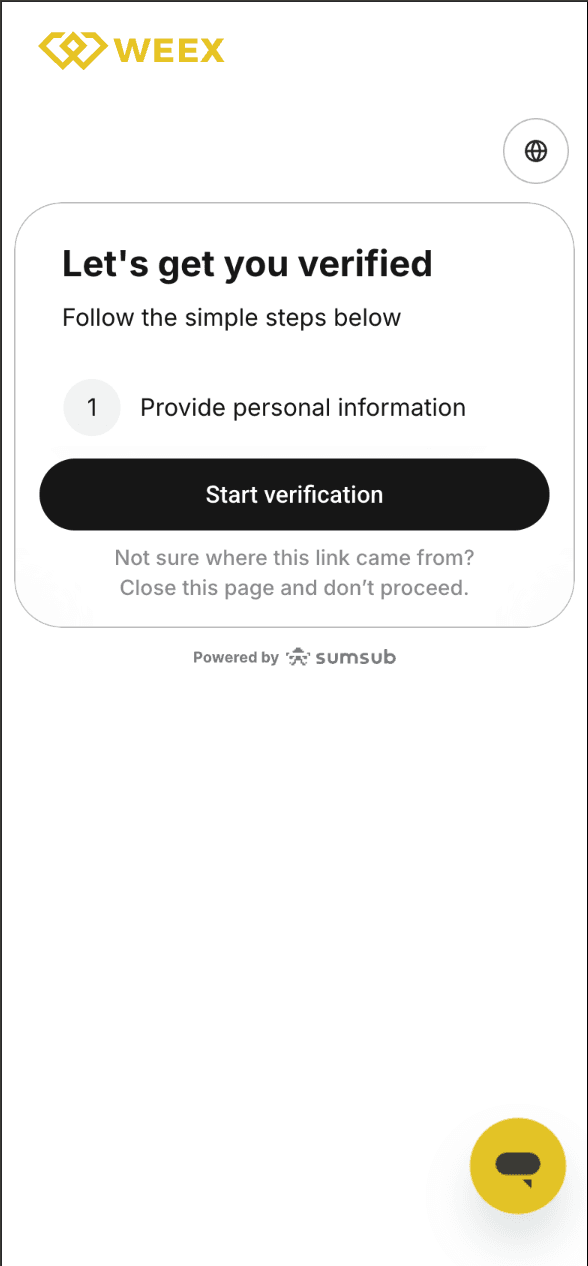
Step 6: Select your country/region of residence.
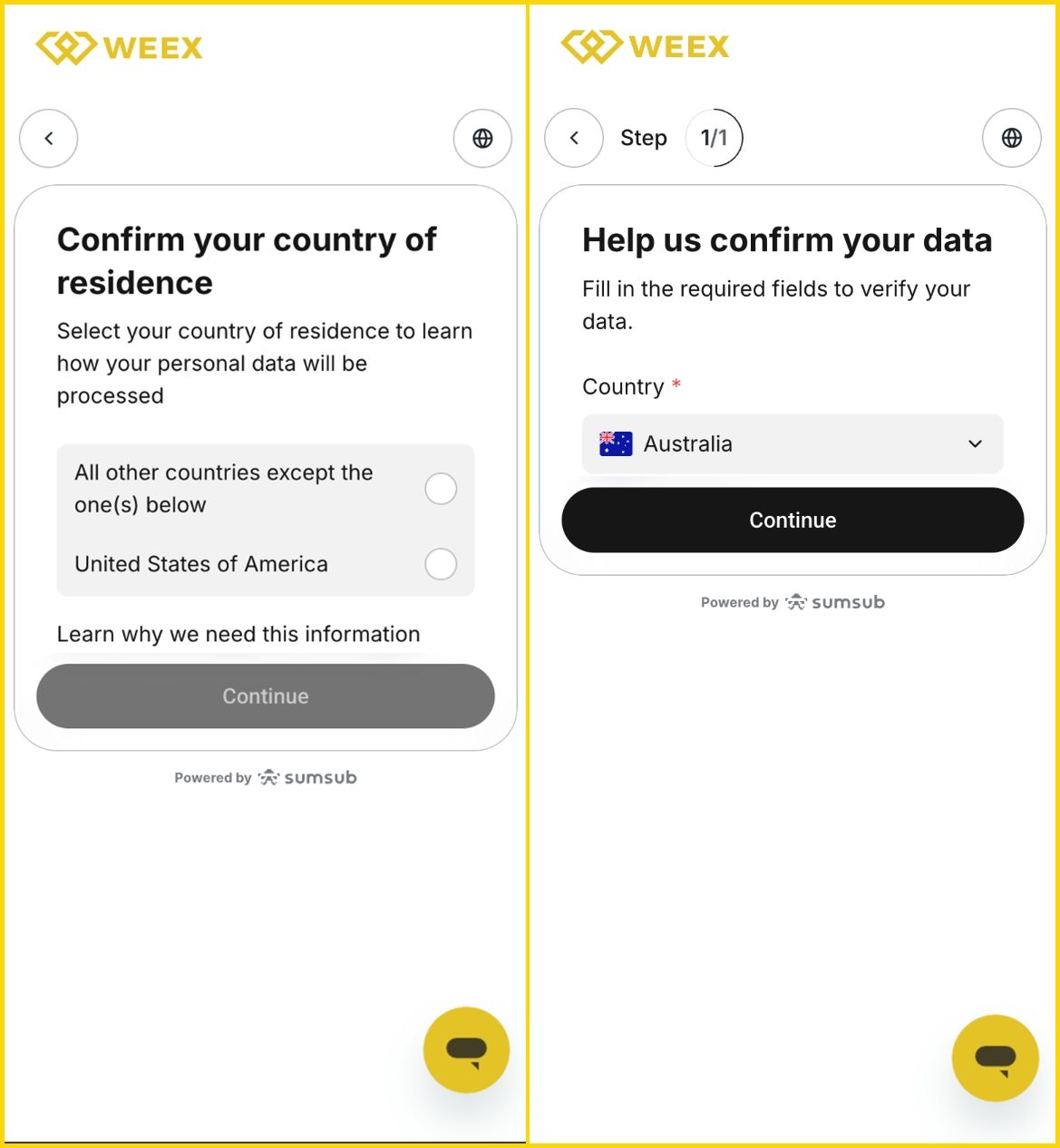
Step 7: Select your ID's country/region of issue and document type, then upload photos of your ID as prompted.
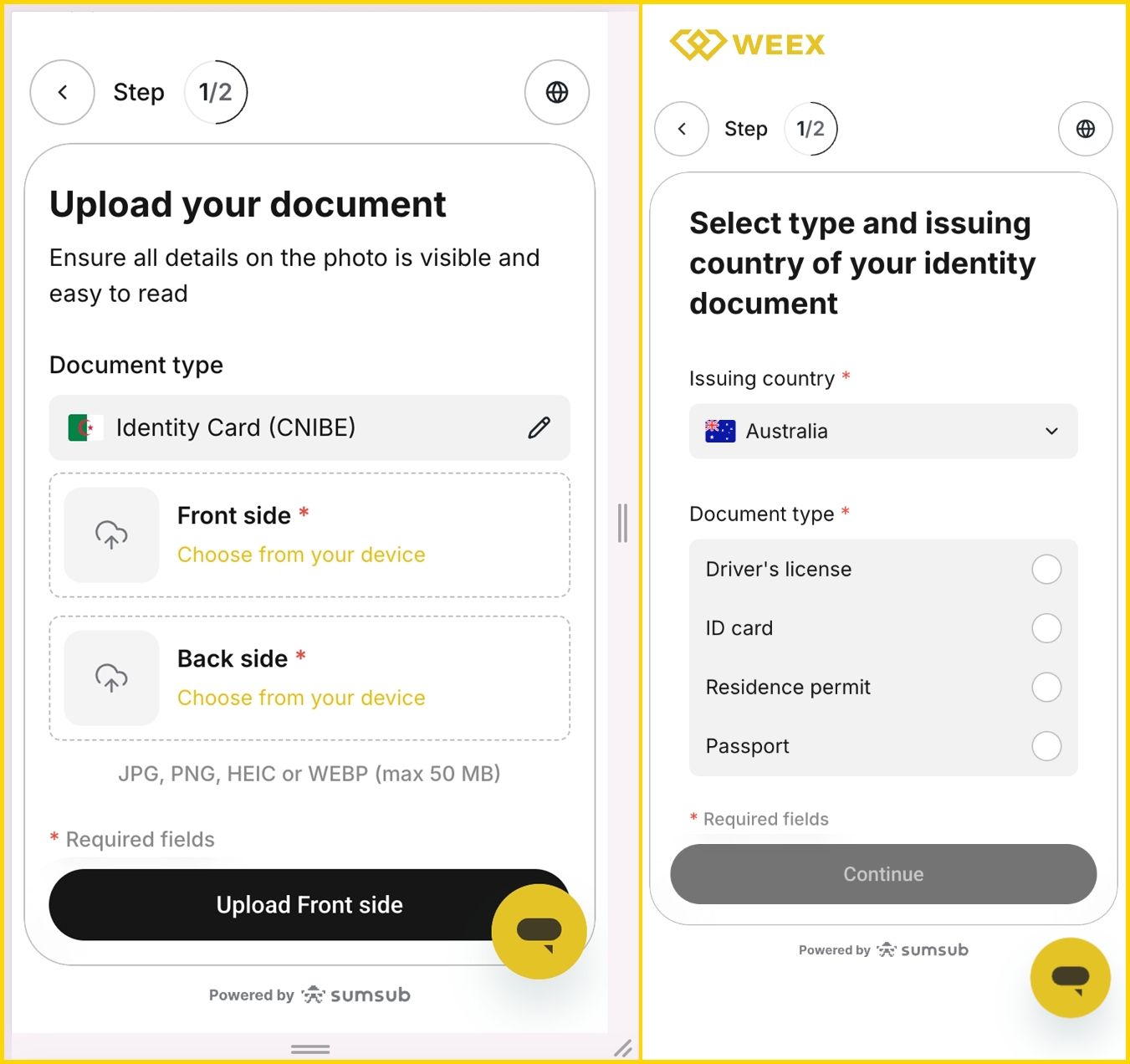
Step 8: Allow camera access and complete facial verification. Once you've completed identity verification, wait for the review result.
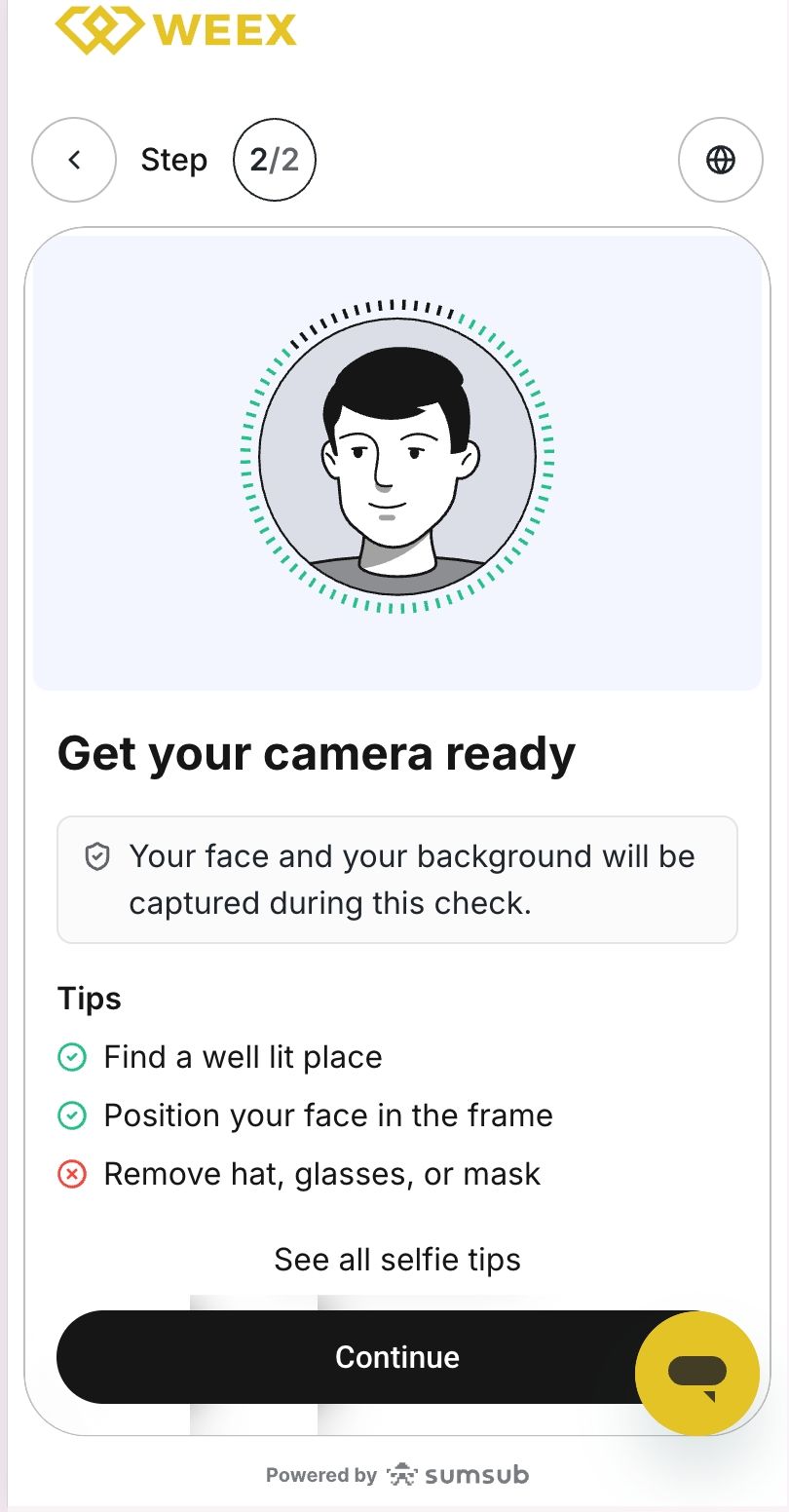
Verification is usually completed within 3 working days. Verification may fail for the following reasons:
- Your document photo is unclear or incomplete.
- Poor lighting, a covered face, or a blurry camera image caused facial verification to fail.
- An unstable network connection interrupted the ID upload or facial verification process.
- The same document or facial information has been used by another account.
Thank you for supporting WEEX!
The WEEX team
Related articles
Share
Gainers


Customer Support:@weikecs
Business Cooperation:@weikecs
Quant Trading & MM:bd@weex.com
VIP Program:support@weex.com
