
- Buy Crypto
- Markets
- Futures
- Spot
- Copy Trade
 WE-Launch
New feature launch: Customisable Trading Page Layouts

Dear WEEXers,
You can now customise your trading page just the way you like it! The new customisable layout of our trading pages gives you full control over how your workspace looks and feels. Every section — from the price chart to the order book and trade panel — can be dragged, resized, and rearranged, allowing you to design a trading interface that matches your personal style and priorities. This feature brings a new level of flexibility to crypto trading, empowering you to focus on what matters most to you.
Feature highlights
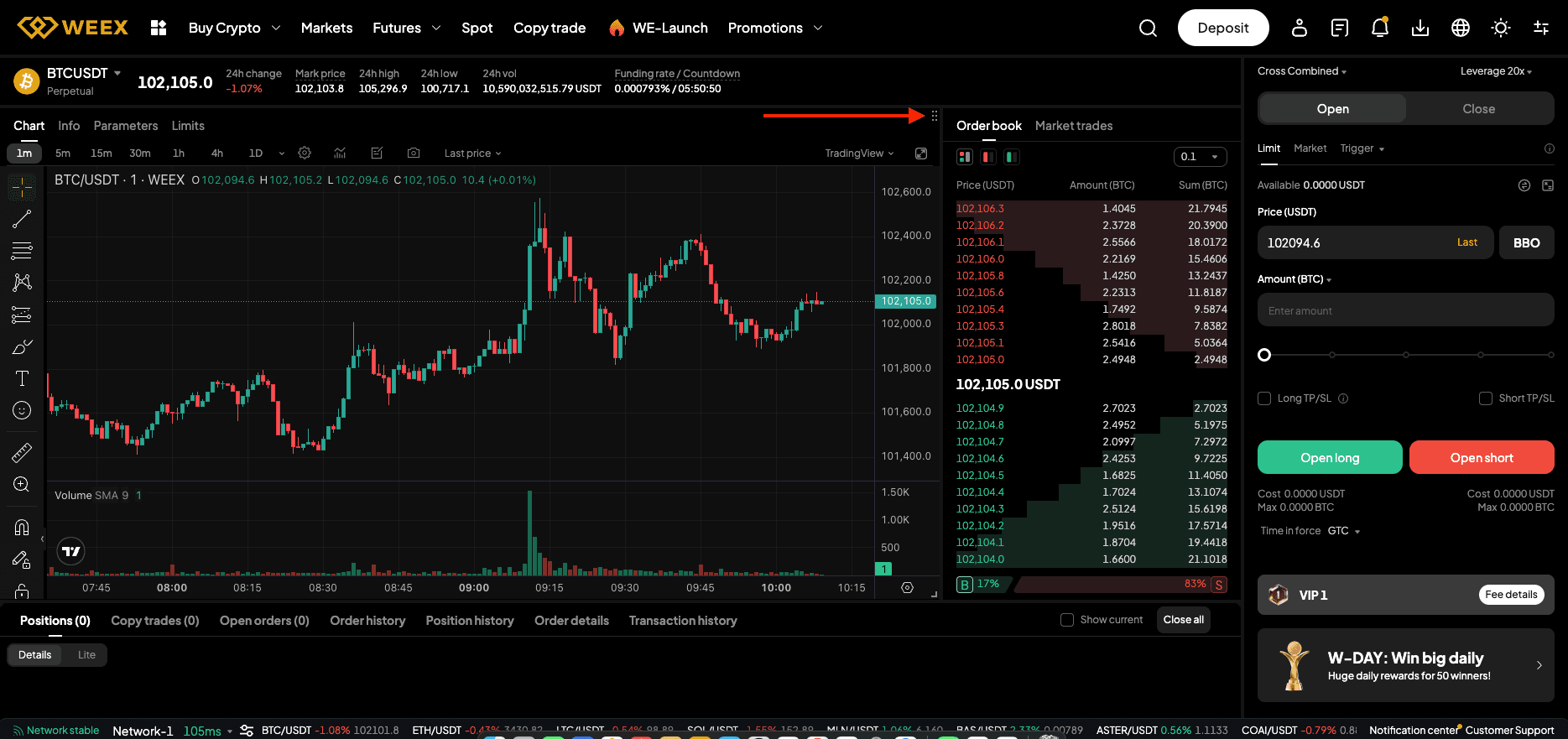
- Drag & Drop Rearrangement Every panel on the trading screen is now fully movable. Simply click and hold the dotted icon at the top right of any panel, drag it to your preferred spot, and release. Whether you want the chart on the right, the order book on the left, or the asset panel below — it’s entirely up to you. This flexibility lets both beginners and pro traders design a workspace that perfectly fits their trading style.
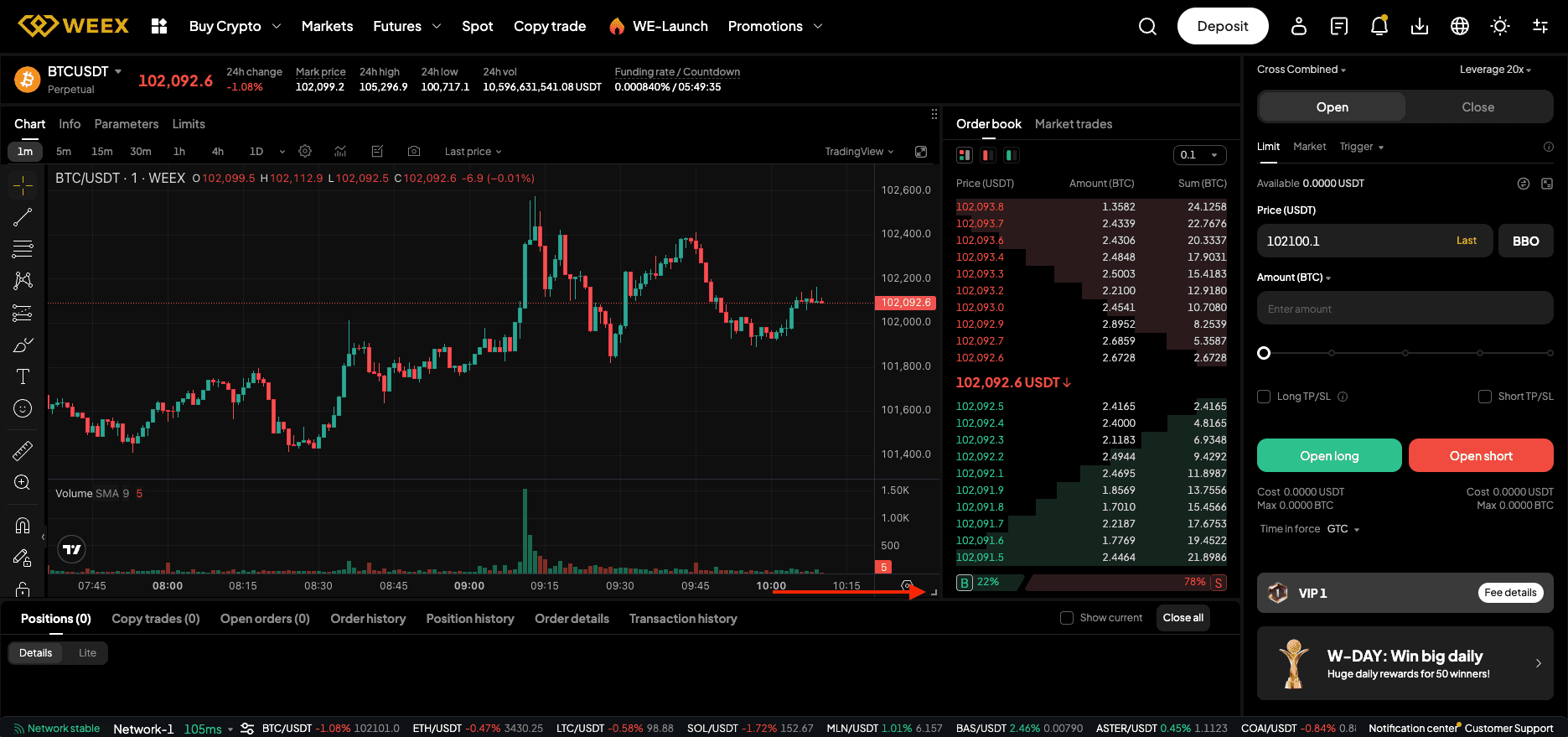
- Resizable Panels Not only can you move panels around — you can also resize them. Simply click and drag the arrow icon at the bottom right corner of any panel to expand or shrink it. Want a full-screen chart to track every price move and a compact order book on the side? Done. Prefer a large order book and a smaller chart? Easy. Your layout now adapts seamlessly to your trading priorities.
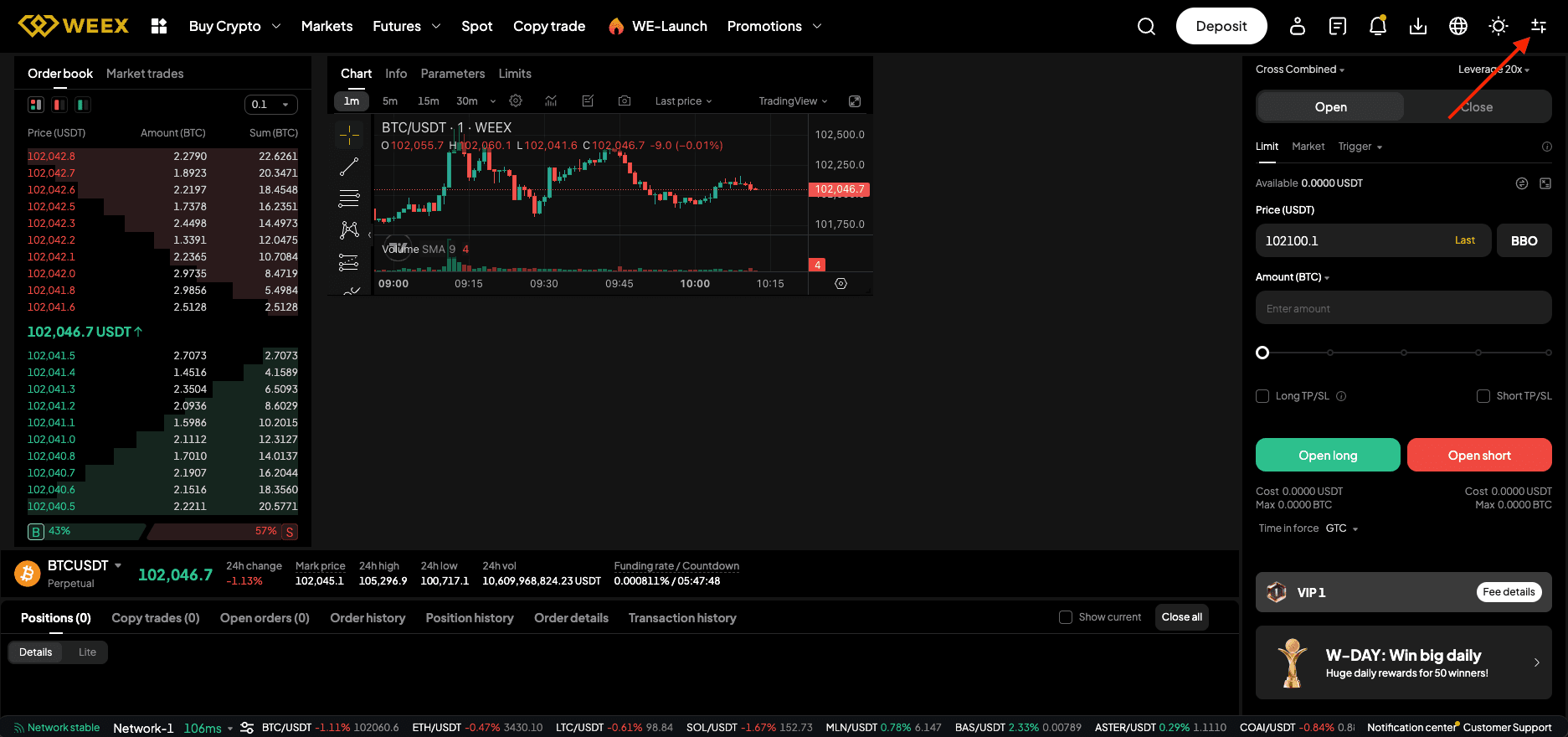
Whether you’re trading futures or spot, you can now customise your panel layout to suit your preferences — and our system will automatically save it for the next time you log in. Want to start fresh? Just click the adjustment icon in the top-right corner of your screen and select “Reset Custom Layout” to restore the default view.
Head over to our spot and futures page to try out our new feature and customise your page to your needs!
You may also like

Understanding the Current Crypto Market Correction: Insights and Future Outlook
Key Takeaways: The ongoing correction in the crypto market mirrors the crash of October 10th, triggered by a…

New Drag-to-set TP/SL Feature on Candlestick Chart
To help you optimize your strategies, the WEEX app now supports the drag-to-set feature for placing TP and SL orders directly on the candlestick chart.

New feature launch: Customisable Trading Page Layouts
You can now customise your trading page just the way you like it! The new customisable layout of our trading pages gives you full control over how your workspace looks and feels.

Best Crypto Trading Bot for Beginners: How to Start Your Crypto Journey
For those new to the world of cryptocurrencies, diving into trading can feel overwhelming. Fortunately, crypto trading bots…
Understanding the Current Crypto Market Correction: Insights and Future Outlook
Key Takeaways: The ongoing correction in the crypto market mirrors the crash of October 10th, triggered by a…
New Drag-to-set TP/SL Feature on Candlestick Chart
To help you optimize your strategies, the WEEX app now supports the drag-to-set feature for placing TP and SL orders directly on the candlestick chart.
New feature launch: Customisable Trading Page Layouts
You can now customise your trading page just the way you like it! The new customisable layout of our trading pages gives you full control over how your workspace looks and feels.
Best Crypto Trading Bot for Beginners: How to Start Your Crypto Journey
For those new to the world of cryptocurrencies, diving into trading can feel overwhelming. Fortunately, crypto trading bots…
Popular coins
Latest Crypto News


Customer Support:@weikecs
Business Cooperation:@weikecs
Quant Trading & MM:[email protected]
VIP Services:[email protected]
 App
App