

How to Identify Phishing Attempts and Protect Your WEEX Account

In the world of cryptocurrency, security is everything. As crypto adoption grows, so do cyber threats like phishing attacks. Phishing is a deceptive tactic where scammers trick users into revealing sensitive information, such as login credentials, private keys, or personal data.
At WEEX, we prioritize user security and want to help you recognize and avoid phishing attempts. This guide will teach you how to spot phishing scams and keep your account safe.
What Is Phishing?
Phishing is a fraudulent attempt to obtain your personal information by pretending to be a trustworthy entity. Scammers often disguise themselves as official platforms, customer support agents, or well-known brands to deceive users into sharing their account details.
Common phishing tactics include:
- Fake Emails & Messages – Fraudsters send emails or social media messages that appear to be from WEEX, asking you to verify your account or reset your password.
- Fake Websites – Scammers create websites that look identical to WEEX to steal your login credentials.
- Malicious Links & Attachments – Clicking on unknown links or downloading files can install malware on your device.
- Impersonation Scams – Attackers pretend to be WEEX customer support or team members to gain your trust.
How to Identify a Phishing Attempt
1. Check the Sender's Email or Message
Scammers often use email addresses or usernames that closely resemble official accounts but contain slight modifications.
Red Flags:
- Emails from random domains (e.g., [email protected] instead of [email protected])
- Messages with grammatical errors or unusual requests
- Urgent or threatening language demanding immediate action
What to Do:
- Always verify emails from the official WEEX domain.
- If unsure, contact WEEX Support through official channels.
2. Inspect Links Before Clicking
Scammers use fake links to redirect users to phishing websites that look identical to WEEX.
Red Flags:
- Links with misspellings (e.g., weex.exchange.com instead of weex.com)
- Shortened URLs hiding the actual destination
- Pop-up messages prompting you to enter your credentials
What to Do:
- Hover over links before clicking to check the real URL.
- Only access WEEX through the WEEX official website.
- Never enter login details on unknown or suspicious websites.
3. Be Cautious of Fake WEEX Support or Team Members
Scammers impersonate WEEX staff on Telegram, Discord, and social media, offering fake promotions or support.
Red Flags:
- Direct messages claiming to be WEEX support
- Requests for your password, 2FA codes, or private keys
- Too-good-to-be-true offers like free crypto rewards
What to Do:
- WEEX never asks for your password or private keys.
- Only communicate with support through official channels.
- Double-check verified accounts before engaging.
4. Avoid Downloading Suspicious Files or Apps
Fraudulent apps and attachments may contain malware designed to steal your credentials.
Red Flags:
- Emails with unexpected attachments (PDFs, ZIP files, EXEs)
- Fake WEEX mobile apps from untrusted sources
- Requests to download "security updates" from unofficial links
What to Do:
- Download the WEEX app only from the official website or app stores.
- Avoid opening unknown attachments or installing unverified software.
5. Enable Two-Factor Authentication (2FA) for Extra Security
Even if scammers obtain your login credentials, 2FA adds an extra layer of security.
Best Practices:
- Use Google Authenticator or Authy instead of SMS-based 2FA.
- Never share your 2FA codes with anyone.
- Regularly update your passwords and security settings.
What to Do If You Suspect a Phishing Attempt?
- Do not click any links or download attachments.
- Report phishing emails or messages to WEEX Support.
- Change your WEEX account password immediately if you suspect your account may be compromised.
- Enable or update 2FA settings for additional security.
Stay Safe While Trading on WEEX
At WEEX, we are committed to keeping your funds secure. By staying alert and following these best practices, you can protect yourself from phishing scams and trade safely on our platform.
- Always verify URLs and email senders
- Never share login credentials, 2FA codes, or private keys
- Enable 2FA and keep security settings updated
- Use only official WEEX channels for support
By recognizing phishing attempts and staying cautious, you can trade with confidence on WEEX.
猜你喜歡

引入 0G: 0G 和空投機會的完整指南
0G (0G) 是世界上第一個去中心化式人工智能操作系統 (DeAIOS),一個模組化的第 1 層區塊鏈,旨在支持可擴展的鏈上工智能應用程序。 了解其代幣經濟學、生态系統影響,以及如何在WEEX50,000美元LISA空投中兌換免費代幣,直至2026年1月02日!
什麼是 Nockchain (NOCK) 幣?
我們很高興地宣佈,Nockchain (NOCK) 已經在 2025 年 12 月 24 日於 WEEX 上市。作為一種創新的數字資產,NOCK 強調在內容誠實度的經濟中賦予代幣持有者權力。[Nockchain](https://www.weex.com/tokens/nockchain) 的原生資產 NOCK 與 Nocknote 留言板應用集成,用戶可透過 Iris…
What is Liquid (LIQUID) Coin?
Liquid (LIQUID), 源自於Twitter社區關於加密流動性和去中心化金融(DeFi)創新的熱門討論,其創立背景是為了推動比特幣側鏈Liquid網絡的 meme 熱潮。該代幣已在2025年12月24日成功在 [WEEX 上市](https://www.weex.com/wiki/article/liquid-usdt-pair-listed-trade-liquid-coin-on-weex-spot-35100),自此用戶可以進行交易。這篇文章將深入介紹 LIQUID 代幣的發展背景、用途及如何購買。 Liquid 代幣介紹 LIQUID 代幣是一種趣味性與創新性兼具的 meme 代幣,旨在利用 Twitter 社區強大的影響力來探討和促進加密貨幣流動性解決方案。隨著其在[WEEX的上市](https://www.weex.com/wiki/article/liquid-usdt-pair-listed-trade-liquid-coin-on-weex-spot-35100),用戶可以透過 Liquid…
液幣價格預測和2025年十二月預測 – 迷因炒作的潛在反彈?
在2025年十二月24日推出僅僅一天之後,液力幣就已經在幫助裡激起了嗡嗡聲;
What is Soter (SOTER) Coin?
The Soter (SOTER) Coin has made its debut on the WEEX Exchange as of December 24, 2025, marking…

SOTER (Soter) 幣價預測和 2025 年 十二月 的預測: 這種新的模因代幣能否保持其推出勢頭?
SOTER (Soter) 硬幣於 2025 年 十二月 月 24 日爆出現場,作為 &hellip 上的新鮮模因代幣;
What is Screaming Rubber Chicken (SRCSOL) Coin?
Screaming Rubber Chicken (SRCSOL) Coin 很高興地宣布,這個代幣組合已於 2025 年 12 月 24 日在 [WEEX 上市](https://www.weex.com/wiki/article/trade-srcsol-usdt-screaming-rubber-chicken-coin-on-weex-spot-34997)。此加密貨幣源於 @srcpf 的一則熱門推文,描述了一隻戴兜帽的黃色尖叫橡膠雞在黑暗森林中恐慌的迷因事件。作為 Meme 代幣賽道的一員,SRCSOL…
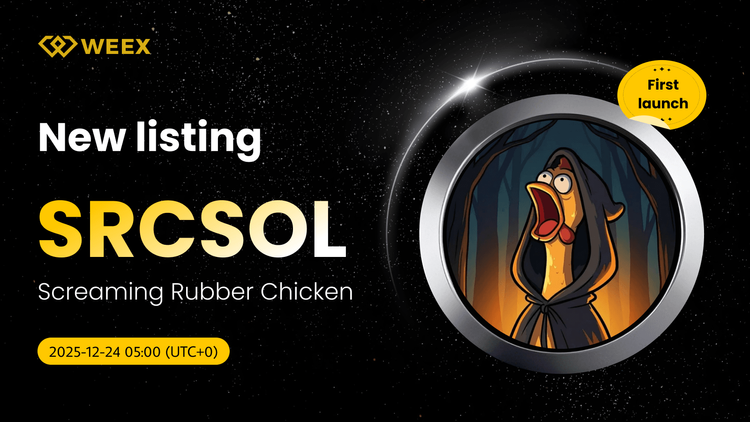
交易 SRCSOL USDT: 在 WEEX 現貨上尖叫的橡膠雞幣
尖叫橡膠雞(SRCSOL)硬幣在WEEX交易所新上市。 立即訪問SRCSOL USDT交易對。 發現病毒模因代幣首映。
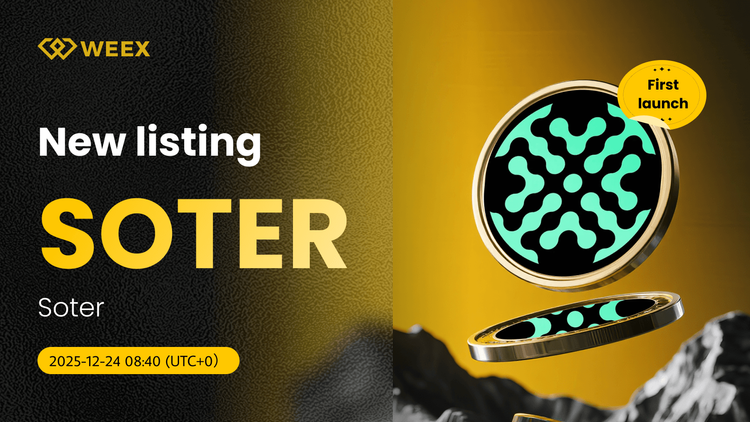
所以USDT現貨交易現在在WEEX交易所實盤
索特(SOTER)硬幣在WEEX交易所新上市。 立即使用Soter生態系統的最新Meme代幣開始SOTER USDT現貨交易。
什么是Nockcoin (NOCK) Coin?
近年來,加密貨幣市場中出現了許多有趣的項目和創新的概念。其中一個新上市的交易對就是Nockcoin (NOCK),這一加密貨幣於2025年12月24日正式在WEEX平台上線交易。[在WEEX上上市的NOCK交易對](https://www.weex.com/wiki/article/nock-usdt-now-on-weex-spot-trade-nockchain-nock-coin-34932)吸引了眾多投資者的目光。用戶現在可以在WEEX上直接交易這一嶄新的數字資產,了解更多關於NOCK的資訊和如何交易,點擊[Nockcoin (NOCK)的官方網站](https://www.weex.com/tokens/nockchain)獲取詳細信息。 Nockcoin 的介紹 Nockcoin (NOCK) 是Nockchain的原生資產,通過其Nocknote留言板應用,讓用戶可以在區塊鏈網路上進行創新式的交流與互動。NOCK旨在建立「真理經濟」,鼓勵誠實和真相的價值,同時對說謊行為進行懲罰。持有NOCK的用戶,可通過Nocknote應用在Nockchain上驗證並發佈內容,隨著生態系統的擴展,NOCK變得日益稀缺。 Nockcoin (NOCK) Coin 的創建者是誰? Nockcoin是由一個充滿熱情的區塊鏈開發團隊創建,這個團隊致力於通過技術創新來改變網路交流的方式。該團隊聚焦於「真理經濟」的增值,將區塊鏈的去中心化特性與內容生態系統結合,期望能夠重塑網路世界中信息的價值和傳播方式。 Nockcoin 如何運作? Nockchain平臺上,NOCK的運行方式結合了區塊鏈技術和社交媒體的應用。用戶需通過Iris錢包瀏覽器擴展進行身份驗證,進而在Nocknote留言板上根據持有的NOCK數量來創建和發布內容。這不僅提供了一種去中心化的發佈方式,也使得個人能夠對自我表達進行自我驗證,推動了信息的真實性。 Nockcoin 在哪裡被使用?…
敲擊鏈(NOCK)幣價預測和2025年十二月預測: 在迷因代幣熱潮中激增14%
Nockchain (NOCK) Coin 剛剛在 Base chain 上出現,於今日 12:00 UTC on… 發布;
What is RealGarryTan (REALGARRYTAN) Coin?
RealGarryTan (REALGARRYTAN) Coin is causing quite the buzz by joining the ranks of tokens traded on WEEX. The…
What is Walmart Tokenized Stock (WMTON) Coin?
Walmart Tokenized Stock (WMTON) Coin, a newly listed asset on WEEX, offers investors the opportunity to engage with…
Costco Tokenized Stock (COSTON): Comprehensive Guide to the New Listing on WEEX
On December 23, 2025, WEEX Exchange is excited to announce the listing of Costco Tokenized Stock (COSTON), opening…
What is Goldman Sachs Tokenized Stock (GSON) Coin?
Goldman Sachs Tokenized Stock (GSON) has recently been listed on WEEX Exchange, opening the doors for both retail…
What is Linde plc Tokenized Stock (LINON) Coin?
Recently, the Linde plc Tokenized Stock, known by its abbreviation LINON, was newly listed on [WEEX](https://www.weex.com/wiki/article/linon-usdt-live-linde-plc-tokenized-stock-ondo-on-weex-34739), expanding the…
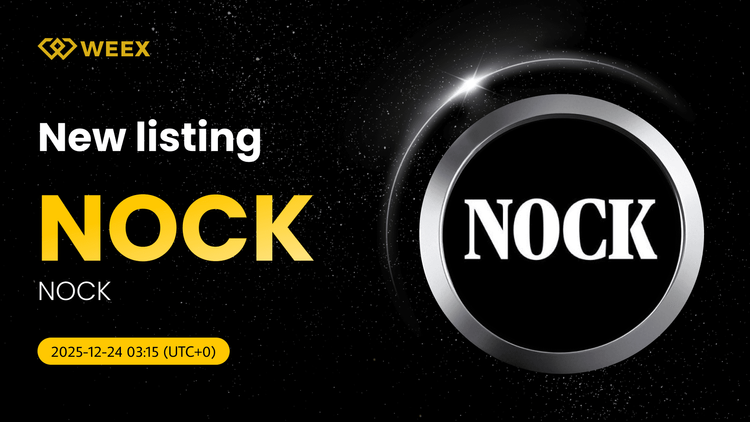
立即在 WEEX 上點擊 USDT: 現貨交易敲擊鏈(NOCK)硬幣
WEEX交易所列出現貨交易的Nockchain(NOCK)硬幣。 現在訪問諾克USDT對,通過這個新上市加入真理經濟生態系統。
什麼是 ServiceNow Tokenized Stock (NOWON) Coin?
ServiceNow Tokenized Stock,或稱 NOWON,是一種全新的代幣化股票,與ServiceNow公司的股票價格掛鈎。這標誌著該代幣對在WEEX平台上交易的開始,交易自2025年12月23日開始。截至目前,NOWON幣已在WEEX推出,用戶可以通過[NOWON 列於 WEEX](https://www.weex.com/wiki/article/nowon-usdt-pair-now-on-weex-servicenow-tokenized-stock-34765)這一公告查看相關具體資訊。在[WEEX官方頁面](https://www.weex.com/tokens/servicenow-tokenized-stock-ondo),用戶能找到詳細的代幣資訊並開始交易。 ServiceNow Tokenized Stock 簡介 ServiceNow Tokenized Stock(NOWON)是一種將美國股票市場與加密貨幣世界相連接的創新計劃。這款產品由專業的區塊鏈公司Ondo Finance推出,讓全球非美用戶可以利用代幣式化股票拓展投資機會。NOWON代幣以電子化方式實現了對美國股票的經濟敞口,在區塊鏈上安全透明地運行。 誰創建了 ServiceNow Tokenized Stock…
引入 0G: 0G 和空投機會的完整指南
0G (0G) 是世界上第一個去中心化式人工智能操作系統 (DeAIOS),一個模組化的第 1 層區塊鏈,旨在支持可擴展的鏈上工智能應用程序。 了解其代幣經濟學、生态系統影響,以及如何在WEEX50,000美元LISA空投中兌換免費代幣,直至2026年1月02日!
什麼是 Nockchain (NOCK) 幣?
我們很高興地宣佈,Nockchain (NOCK) 已經在 2025 年 12 月 24 日於 WEEX 上市。作為一種創新的數字資產,NOCK 強調在內容誠實度的經濟中賦予代幣持有者權力。[Nockchain](https://www.weex.com/tokens/nockchain) 的原生資產 NOCK 與 Nocknote 留言板應用集成,用戶可透過 Iris…
What is Liquid (LIQUID) Coin?
Liquid (LIQUID), 源自於Twitter社區關於加密流動性和去中心化金融(DeFi)創新的熱門討論,其創立背景是為了推動比特幣側鏈Liquid網絡的 meme 熱潮。該代幣已在2025年12月24日成功在 [WEEX 上市](https://www.weex.com/wiki/article/liquid-usdt-pair-listed-trade-liquid-coin-on-weex-spot-35100),自此用戶可以進行交易。這篇文章將深入介紹 LIQUID 代幣的發展背景、用途及如何購買。 Liquid 代幣介紹 LIQUID 代幣是一種趣味性與創新性兼具的 meme 代幣,旨在利用 Twitter 社區強大的影響力來探討和促進加密貨幣流動性解決方案。隨著其在[WEEX的上市](https://www.weex.com/wiki/article/liquid-usdt-pair-listed-trade-liquid-coin-on-weex-spot-35100),用戶可以透過 Liquid…
液幣價格預測和2025年十二月預測 – 迷因炒作的潛在反彈?
在2025年十二月24日推出僅僅一天之後,液力幣就已經在幫助裡激起了嗡嗡聲;
What is Soter (SOTER) Coin?
The Soter (SOTER) Coin has made its debut on the WEEX Exchange as of December 24, 2025, marking…
SOTER (Soter) 幣價預測和 2025 年 十二月 的預測: 這種新的模因代幣能否保持其推出勢頭?
SOTER (Soter) 硬幣於 2025 年 十二月 月 24 日爆出現場,作為 &hellip 上的新鮮模因代幣;


 App
App