


Sent a WEEX Withdrawal to the Wrong Address? What to Do Next
Sent a WEEX Withdrawal to the Wrong Address? What to Do Next
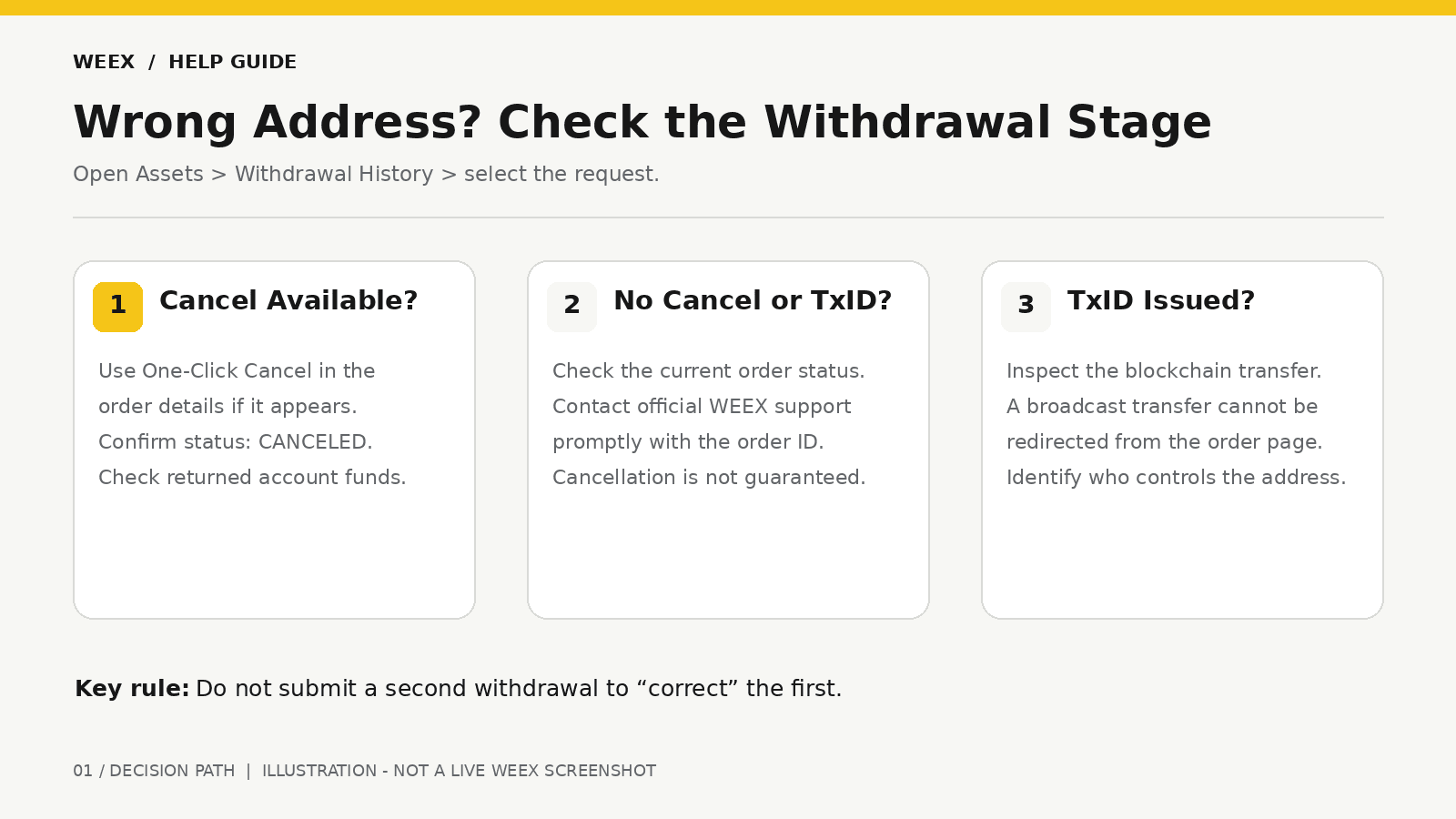
If you entered the wrong withdrawal address on WEEX, open the withdrawal details immediately. If One-Click Cancel is available, use it and confirm that the request is marked canceled. If the withdrawal already has a transaction hash, or TxID, check it on a blockchain explorer: a transfer already sent on-chain cannot be recalled or redirected by changing the address in WEEX. Your next contact depends on who controls the destination address.
The most important action is to establish the withdrawal’s current stage. A submitted request may still be within the cancellation window, while a broadcast transaction needs a different response. Do not submit a second withdrawal to “correct” the first; that creates another transaction without changing the original one.
How Do I Check Whether My WEEX Withdrawal Can Still Be Canceled?
Log in to WEEX and open Assets → Withdrawal History. Select the affected withdrawal and open its details. Check the status, destination address, network, and whether the page shows a One-Click Cancel button or a TxID.
WEEX’s withdrawal experience update says eligible requests can be canceled directly from their order details before they are sent on-chain. When cancellation succeeds, the funds return to their original accounts.
Use the status you actually see:
| What You See in Withdrawal Details | What to Do Immediately |
|---|---|
| One-Click Cancel is available | Select it, complete the confirmation, and verify the record says canceled |
| Pending, with no Cancel option or TxID | Contact WEEX support promptly to ask whether the request can still be stopped |
| A TxID is displayed | Inspect the transfer on the relevant blockchain explorer |
| The request is marked canceled | Check the returned balance before deciding whether to submit a corrected withdrawal |
| The request is marked failed or rejected | Read the reason and confirm that no on-chain transfer occurred before trying again |
A missing TxID alone does not guarantee that cancellation remains possible. The request may move through processing while you are checking it. If the button is visible and you need to stop the withdrawal, act on that request promptly and verify the result.
What If I Notice the Wrong Address Before the Withdrawal Is Sent On-Chain?
If the order details show One-Click Cancel, cancel the existing request first. Reopen Withdrawal History to confirm its status changed to canceled, then inspect the accounts from which the withdrawal amount was deducted. Only after the first request is resolved should you prepare a new withdrawal using the recipient’s correct, current deposit instructions.
If no Cancel option appears, use the official WEEX Help Center to contact support as soon as possible. Supply the withdrawal record or order ID, asset, network, amount, submission time, and the status shown in your account. State clearly that the destination address is wrong and that you want support to check whether the request can still be stopped.
Support can check the actual processing state, but contacting support does not reserve a cancellation window or guarantee that the transfer can be stopped. Continue watching the withdrawal details for either a confirmed cancellation or a TxID.
Do not delete the address from your address book as a substitute for canceling the pending order. Do not submit a new request while the first still appears active.
What If the WEEX Withdrawal Already Has a TxID?
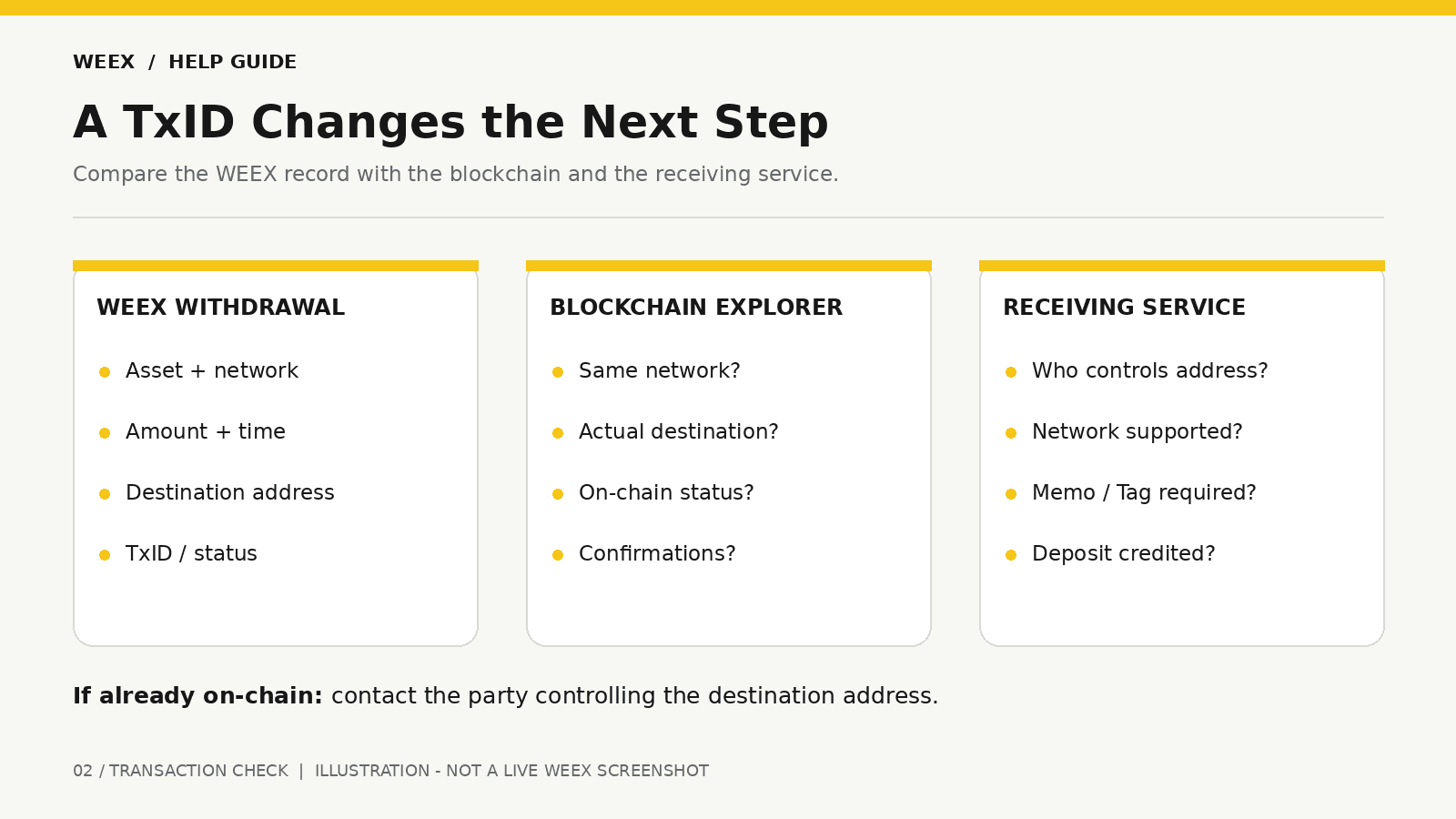
A TxID identifies a blockchain transaction. Open it on the relevant blockchain explorer and compare the asset, network, amount, destination address, and on-chain status with your WEEX withdrawal record.
Once the transaction has been broadcast, WEEX cannot edit the destination or use One-Click Cancel to pull the transfer back. If the transaction has been confirmed, the blockchain record establishes where it was sent. WEEX’s withdrawal delay guide explains why the hash is the first detail to check and why recovery cannot be promised for a transfer sent to the wrong destination.
Take a moment to identify the precise mistake. “Wrong address” can describe several different situations:
- An address you control, but did not intend to use.
- An old deposit address at an exchange or service you use.
- An address belonging to another person or platform.
- An address altered by a copying or pasting error.
- The right address entered on the wrong network.
- The right shared address with a missing or incorrect Memo or Tag.
Those situations have different follow-up paths. The explorer and the receiving service’s deposit instructions help you determine which one applies.
Can I Recover Crypto Sent to an Address I Do Not Control?
There is no guaranteed recovery for a confirmed blockchain transfer to an address you do not control. WEEX cannot reverse it or move funds out of the destination wallet. If you know who controls the address, you may ask that person or service whether they can assist, providing the TxID and transfer details through their official contact channel.
If the destination is an exchange or wallet provider, contact its support team and ask whether the asset and network used can be identified or credited. The answer depends on its address ownership, supported networks, and recovery procedures. A matching-looking address does not prove that the service can access the asset on the network you used.
If the destination is unknown, keep the transaction record and ask WEEX support to help you confirm what was sent, but do not expect a guaranteed return. Be wary of anyone who claims they can reverse a confirmed blockchain transaction in exchange for an upfront payment or your wallet credentials.
WEEX’s address and network warning stresses the importance of checking the destination before withdrawing and states that WEEX cannot retrieve crypto withdrawn to an incorrect address.
What If the Wrong Address Is One of My Own Wallets?
If the explorer shows an address you control, check that wallet on the network used by the withdrawal. Some wallet apps show different networks or asset views separately. A transfer may be present on-chain even when the wallet’s default screen does not display the asset.
Confirm ownership before taking further action. Look up the receiving address in your own wallet and compare it character by character with the on-chain destination. If the address belongs to a wallet provider or another exchange account rather than a self-custody wallet you control directly, contact that provider through its official support route.
Do not enter a recovery phrase into a website or share it with a person offering to “locate” the funds. If you control the destination wallet, use its normal, trusted interface to inspect the address and network. If you do not control the private keys, the destination provider determines whether it can assist.
What If the Address Is Correct but the Network or Memo Is Wrong?
A correct address does not settle every withdrawal issue. Compare the network selected on WEEX with the network the recipient instructed you to use. Then check whether the receiving platform required a Memo or Tag and whether you entered the matching value.
For transfers to an exchange that uses a shared receiving address, the Memo or Tag can identify the user account to credit. WEEX’s Memo and Tag guidance instructs users to copy the destination address and any required identifier from the receiving platform’s deposit page. If you omitted or mistyped that identifier and the transaction is already on-chain, contact the receiving platform about its deposit review process.
If you selected a network the destination does not support for that asset, explain the exact asset, network, address, and TxID to the receiving platform. Do not claim it is merely a missing confirmation. Whether any action is possible depends on who controls the destination and what that service supports.
Before sending a corrected withdrawal, obtain a fresh address and network instructions from the recipient. A second transfer must be checked as its own transaction; it will not repair the first.
Who Should I Contact About a Wrong-Address WEEX Withdrawal?
The right contact depends on the stage and destination:
| Situation | Primary Contact | Information to Provide |
|---|---|---|
| Request is pending and cannot be canceled in the interface | WEEX support | Withdrawal ID, status, asset, network, amount, and submission time |
| Request was canceled but funds have not appeared as expected | WEEX support | Cancellation status and original account details |
| Transfer is on-chain to another exchange or service | Receiving service | TxID, asset, network, address, amount, and Memo or Tag if relevant |
| Transfer is on-chain to an address you control | Your wallet’s trusted interface or wallet provider | Address, network, token, and TxID |
| Destination owner is unknown | WEEX support can help review transfer details | Withdrawal record and TxID; recovery cannot be promised |
Keep your description factual. For example: “I withdrew [asset] on [network] from WEEX at [time]. The destination in the record is [address]. The TxID is [hash]. I intended to use a different address. Please confirm the withdrawal status and what information you can provide for follow-up.”
If the request is already broadcast, give the receiving service its transaction details. WEEX’s guide to a withdrawal that has not arrived likewise directs users to check the TxID, address, network, and any Memo before contacting the destination platform when a confirmed transfer is not credited.
How Can I Prevent a Wrong-Address Withdrawal Next Time?
Open the recipient’s current deposit page immediately before submitting a new WEEX withdrawal. Match the asset and network on both sides, then copy the address directly. If the recipient displays a Memo or Tag, copy it from the same page as the address.
On WEEX’s final confirmation screen, check the destination address, network, and amount to be received. WEEX’s updated flow also displays address-book remarks where available, which can help you identify the intended destination. A saved label is a useful check, but it does not replace comparing the actual address.
If an address was pasted, inspect it again before confirmation. Copying mistakes and altered clipboard contents can change a destination without an obvious typing error. If the transfer is large or the destination is unfamiliar, consider a small test transfer that meets the receiving platform’s minimum and takes applicable fees into account.
Finally, keep your withdrawal record and TxID. They are the details both WEEX and a receiving service will need if the transfer does not arrive as expected.
WEEX Editorial View: The Withdrawal Stage Determines the Next Action
A wrong address discovered before broadcast is a time-sensitive cancellation question. Open the order details, use One-Click Cancel if available, and confirm the result. Once a TxID exists, investigate the on-chain destination and contact the party that controls it. WEEX can help clarify the withdrawal record, while only the destination owner or provider can assess an already delivered transfer on its side. Address, network, and Memo checks before confirmation remain the most reliable protection.
FAQ
1. Can WEEX Cancel a Withdrawal Sent to the Wrong Address?
An eligible request can be canceled using One-Click Cancel while the option is available in its order details. If the option is missing, ask WEEX support promptly to check the status. A transfer already sent on-chain cannot be recalled through that feature.
2. What Does a TxID Mean for a Wrong-Address Withdrawal?
It identifies the on-chain transaction. Use it to check the destination, network, amount, and status on a blockchain explorer. Do not assume that editing a saved address or submitting another withdrawal will change that transaction.
3. Can WEEX Recover Funds After a Wrong-Address Transfer Is Confirmed?
WEEX cannot reverse a confirmed blockchain transfer or retrieve funds from an address it does not control. If the address belongs to a known service or person, contact its owner through an official route. Recovery is not guaranteed.
4. What If I Sent Funds to the Right Address but Forgot the Memo?
If the receiving platform required a Memo or Tag, the transfer may not be credited to your account automatically. After checking the TxID, contact the receiving platform about its deposit review process and provide the identifier you should have used.
5. Should I Submit the Withdrawal Again With the Correct Address?
First establish the original request’s final status. A new withdrawal does not cancel or correct an active or broadcast one. If the first was canceled, verify the returned funds and review the recipient’s current instructions before submitting a separate, corrected request.
Recommended Articles

Gainers


